



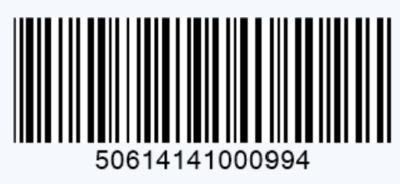
If you need to identify master cartons, shipping cases, or outer packaging, an ITF-14 barcode is one of the most commonly used GS1 barcode formats.
Unlike UPC-A or EAN-13 barcodes designed for retail checkout, ITF-14 symbols are typically used in supply chain environments where products are handled as cases or cartons and are not scanned at the point-of-sale.
This guide explains:
• What an ITF-14 barcode is and how it differs from GTIN-14.
• How to generate an ITF-14 barcode correctly based on GS1 standards.
• The relationship between UPC, EAN, and 14-digit GTIN representation.
• Key printing requirements that affect barcode scanning performance in logistics.
You can create an Interleaved 2 of 5 barcode image using online barcode generator below, provided you have valid GTIN data:

What Is an ITF-14 Barcode?
An ITF-14 symbol is a GS1-specified implementation of the Interleaved 2 of 5 (ITF) barcode symbology. Its primary purpose is to encode a GTIN in a 14-digit format.
It is mainly used for:
• Master cartons
• Shipping cases
• Distribution packaging
• Warehouse inventory handling
The symbology uses the Interleaved 2 of 5 format with additional GS1 specifications, including specific size requirements, placement, and the mandatory use of a Bearer Bar.
GTIN vs. ITF-14: Barcode Types for Retail and Logistics
It is a common mistake to use these terms interchangeably. Here is the correct distinction:
Term | Meaning |
GTIN (Global Trade Item Number) | The globally unique identification number used to identify trade items. (e.g., GTIN-12, GTIN-13, GTIN-14). |
ITF-14 | The bar code symbology (Interleaved 2 of 5) used to encode a GTIN in a 14-digit format for logistics scanning. |
UPC-A / EAN-13 | Retail barcode symbologies that encode GTIN-12 and GTIN-13, respectively. Designed for point-of-sale. |
GS1-128 | A distinct logistics barcode symbology that can carry additional variable data such as batch numbers, serial numbers, and expiration dates. |
The ITF-14 barcode itself only carries the fixed GTIN information. If you need to encode variable data, GS1-128 is the appropriate choice.
How to Generate an ITF-14 Barcode Online
Important Disclaimer: Using a free barcode generator creates the symbol only. It does not assign you an official GS1 Company Prefix or license you to create new GTINs. You must ensure your GTIN is legally assigned through GS1.
Creating an ITF-14 barcode requires two steps:
Step 1: Prepare Your GTIN-14 Number
Before generating the symbol, you must have a valid GTIN expressed in a 14-digit format.
A 14-digit GTIN typically represents items at a packaging level higher than the individual item (e.g., a case of 12 items). It is structured as:
• Indicator Digit (packaging level)
• GS1 Company Prefix
• Item Reference
• Check Digit (automatically calculated)
Do not simply add random numbers to an existing UPC or EAN. The GTIN must follow GS1 numbering rules.
Step 2: Convert the GTIN-14 into an ITF-14 Symbol
Once you have the correct 14-digit number:
1. Open an ITF-14 barcode generator
2. Enter your GTIN-14 data
3. Configure output settings (SVG or EPS are preferred for print).
4. Generate the barcode
5. Export the file for your packaging designer or printer.
For online creation, it's easy to use our free ITF-14 barcode generator. It creates professional, watermark-free Interleaved 2 of 5 barcodes suitable for ITF-14 applications.
What is the Correct Way to Create ITF-14 from UPC or EAN?
Many users search:
"convert UPC to ITF-14"
"make ITF-14 from EAN"
"create shipping carton barcode"
It is crucial to understand that an ITF-14 barcode is not created by simply altering the UPC/EAN barcode image.
Instead, the GTIN-12 (from UPC-A) or GTIN-13 (from EAN-13) is reformatted into a 14-digit structure by adding leading zeros. This allows the same GTIN to be represented in the 14-digit data format required by an ITF-14 symbol. It does not create a new case-level GTIN.
Converting UPC-A / GTIN-12 to a 14-digit ITF-14 data format
A UPC-A barcode typically encodes a 12-digit GTIN-12. To encode the same GTIN in an ITF-14 symbol, add two leading zeros.
Example:
UPC-A / GTIN-12: 012345678905
ITF-14 Data (14-digit format): 00012345678905
Converting EAN-13 / GTIN-13 to a 14-digit ITF-14 data format
An EAN-13 barcode typically encodes a 13-digit GTIN-13. To encode the same GTIN in an ITF-14 symbol, add one leading zero.
EAN-13 / GTIN-13: 1234567890128
ITF-14 Data (14-digit format): 01234567890128
Important Note on Zero-Padding: Zero-padding an individual-item GTIN does not create a new, distinct case-level GTIN. If the carton is a separately identified trade item (different quantity or configuration), you must assign a unique GTIN according to GS1 GTIN allocation rules before creating the ITF-14 symbol.
Why Is My ITF-14 Barcode Not Scanning?

Logistics environments are demanding. Failure to scan usually stems from one of three areas:
Incorrect GTIN-14 Data
A barcode generator can create a perfect image, but it cannot validate that the encoded number is correct for your product hierarchy. Always verify:
• Total digit count (must be 14).
• Correct GS1 Company Prefix and Check Digit.
• Appropriate packaging level assignment.
Poor Print Quality
This is the most common failure point. Common causes include:
• Low Resolution: Use vector formats (SVG, EPS) whenever possible for crisp edges.
• Incorrect Scaling: Do not stretch or shrink the barcode outside acceptable limits.
• Insufficient Contrast: Dark bars on a light background are required (black on white is best).
• Ink Spreading (BWR): On corrugated cardboard, ink tends to bleed, narrowing the "bars" and widening the "spaces." Professional printing requires Bar Width Reduction (BWR) adjustments.
Barcode Too Small
Small ITF-14 symbols may fail when scanned by:
• warehouse scanners
• conveyor systems
• automated readers
Choose size based on:
• printing method
• carton material
• scanning environment
Frequently Asked Questions About ITF-14 Barcode Generation
Can I create an ITF-14 barcode for free?
Yes. A free ITF-14 barcode generator can create the barcode symbol once you have a valid GTIN-14 number.
However, the generator does not assign official GS1 identification numbers.
Is ITF-14 the same as GTIN-14?
No.
GTIN-14 is the number.
ITF-14 is the barcode format used to encode that number.
Can I generate ITF-14 from UPC?
Yes, but the correct GTIN-14 structure depends on your packaging requirements and GS1 numbering rules.
What barcode format is ITF-14?
ITF-14 uses the Interleaved 2 of 5 barcode symbology with GS1-specific requirements.
Create Your ITF-14 Barcode Online
Generating an accurate ITF-14 symbol is a straightforward process if you adhere to GS1 standards.
Ensure you have a valid GTIN-14, then use our free generator to create your ITF-14 symbol. Always verify a printed sample with a certified verifier before mass production to ensure scanability.
