



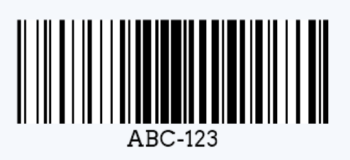
Yes, barcodes can contain both letters and numbers. You simply need a barcode type that supports alphanumeric data.
For a value such as ABC-123, Code 128 is usually the best general-purpose 1D barcode. Code 39 may suit an older system, while UPC and EAN accept numbers only. For URLs, smartphone scanning, or larger amounts of data, consider QR Code or Data Matrix.
What Is an Alphanumeric Barcode?
An alphanumeric barcode encodes letters and numbers in the same machine-readable symbol. Examples include ABC-123, SN-2026-A001, and WH01-RACK-B-12.
It is a category rather than one barcode format. Code 39, Code 128, Data Matrix, and QR Code all support alphanumeric data, but they differ in character support, size, and scanning requirements.
Which Barcode Types Support Letters and Numbers?
Barcode type | Character support | Common use | Main limitation |
Code 39 | Uppercase letters, numbers, and limited symbols | Assets and legacy industrial systems | No direct lowercase support |
Extended Code 39 | Full ASCII through character pairs | Existing Code 39 systems | Produces longer barcodes |
Code 128 | Full ASCII across Code Sets A, B, and C | Inventory, serial numbers, and warehouse labels | Must be properly encoded |
GS1-128 | Structured GS1 data | Logistics and supply chains | Must follow GS1 formatting rules |
Data Matrix | Letters, numbers, symbols, and byte data | Small parts and traceability | Requires 2D scanning support |
QR Code | Text, numbers, and URLs | Mobile and customer-facing applications | Not supported by 1D-only scanners |
UPC/EAN | Numbers only | Retail product identification | Cannot encode letters |
For most new internal identification systems, Code 128 is a good starting point. Choose another format when your scanner, label size, data, or industry requirements call for it.
The barcode type guide provides more detail on the character sets supported by common symbologies.
Code 39 vs. Code 128
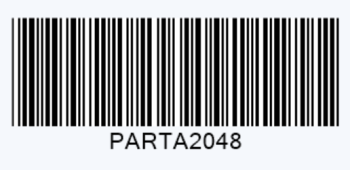
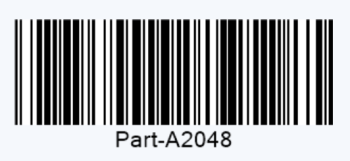
Code 128 is usually better for new alphanumeric barcode applications. It supports more characters and normally uses less horizontal space. Code 39 remains useful for legacy compatibility.
Feature | Code 39 | Code 128 |
Uppercase letters | Yes | Yes |
Lowercase letters | Extended version only | Yes |
Numbers | Yes | Yes |
Special characters | Limited | Broad ASCII support |
Data density | Lower | Higher |
Check character | Usually optional | Mandatory |
Best fit | Older or specified systems | Most new general-purpose systems |
Standard Code 39 supports 0–9, A–Z, spaces, and a limited group of symbols. Extended Code 39 can represent lowercase letters and other ASCII characters, but its character-pair method creates a longer barcode.
Code 128 handles mixed data more efficiently. For an ID such as Part-A2048, use Code 128B or Code 128 Auto unless your system specifically requires Code 39.
Code 128A vs. Code 128B vs. Code 128C
Code 128 uses three code sets:
Code set | Supported data | Best use |
Code 128A | Uppercase letters, numbers, symbols, and control characters | Specialized system workflows |
Code 128B | Uppercase and lowercase letters, numbers, and symbols | General alphanumeric IDs |
Code 128C | Numeric pairs only | Long digit sequences |
For most barcodes with letters and numbers, Code 128B is the right fit.
When Should You Use a 2D Barcode?
Use Code 128 for a short identifier in a linear barcode workflow. Consider a 2D barcode when you need more data, a compact square symbol, or phone scanning.
Choose Data Matrix for:
✔️ Small industrial components
✔️ Electronics and medical devices
✔️ Direct part marking
✔️ Manufacturing traceability
Choose QR Code for:
✔️ Web links
✔️ Product registration
✔️ Digital manuals
✔️ Warranty or service pages
✔️ Smartphone scanning
A 2D barcode is not automatically better. It must be compatible with the scanners and software used in your workflow. Traditional 1D laser scanners generally cannot read QR Code or Data Matrix.
How to Create an Alphanumeric Barcode
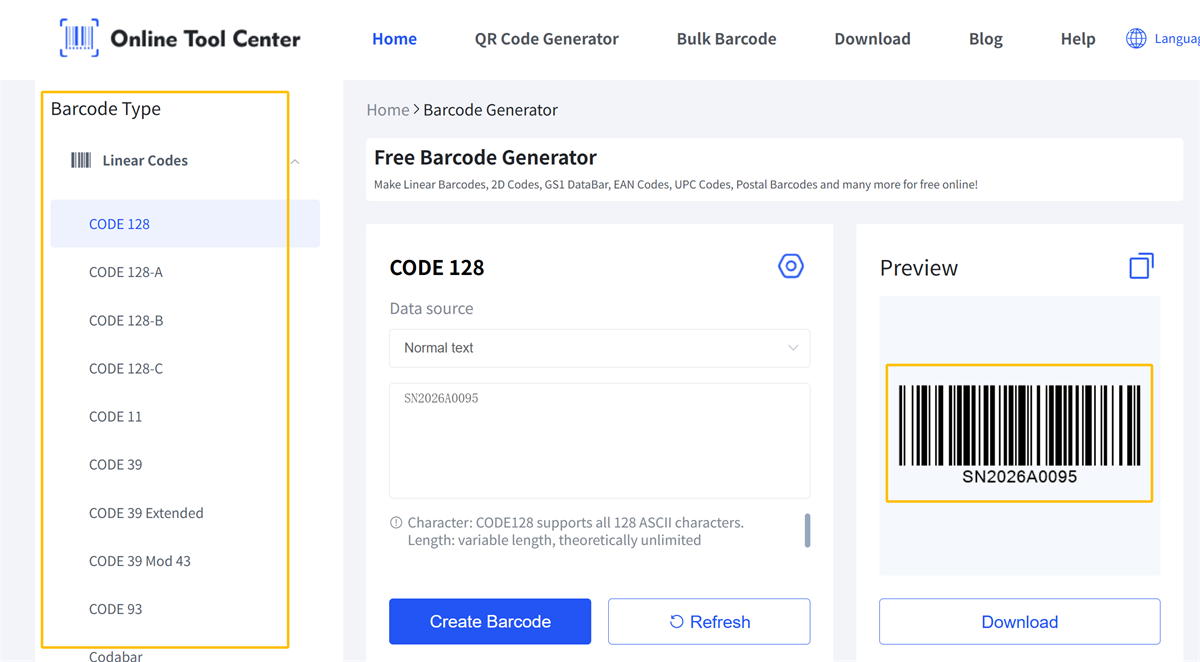
Need to create one now? Use our free barcode generator to choose from multiple barcode and QR code types, then download the watermark-free result in the file format you need.
Follow these simple steps:
1. Choose the Barcode Type
Start with the exact data and its intended use, for example,
• ABC-123: Code 128 or Code 39
• Abc-123: Code 128B or Code 128 Auto
• Long numeric value: Code 128C
• Retail GTIN: UPC-A or EAN-13
Do not use UPC or EAN for an internal ID that contains letters.
GS1-128 also needs separate consideration. It uses the Code 128 symbol structure but follows GS1 Application Identifier rules. Use ordinary Code 128 for free-form internal IDs and GS1-128 only when a GS1 supply-chain workflow requires it.
2. Check the Data
Enter the value exactly as it should appear after scanning. Check:
• Uppercase and lowercase letters
• Leading zeros
• Spaces and punctuation
• Unsupported characters
• Any rules set by the receiving system
Do not remove a character just to make the generator accept the value. PART-A/04 and PART-A04 are different identifiers.
3. Generate and Test
Create the barcode in a suitable format. SVG is a good choice when the artwork must be resized.
Keep clear space around the symbol and do not stretch the image. Test it at the final printed size with the scanner and software used in the real workflow. A barcode that scans from a large screen may fail after it is reduced or printed on a reflective label.
Which Alphanumeric Barcode Should You Choose?
Requirement | Recommended option |
General letters and numbers | Code 128 Auto or Code 128B |
Uppercase data in an older system | Code 39 |
Full ASCII in an existing Code 39 workflow | Extended Code 39 |
Long numeric sequences | Code 128C |
More data in a small area | Data Matrix |
URL or smartphone scanning | QR Code |
Structured GS1 logistics data | GS1-128 |
Retail product identification | UPC or EAN with a valid GTIN |
For most internal IDs, serial numbers, and warehouse locations, start with Code 128 Auto. Change formats only when compatibility, data, label space, or an external standard requires it.
Frequently Asked Questions
Can a barcode contain letters?
Yes. Code 39, Code 93, Code 128, Data Matrix, QR Code, and PDF417 can encode letters and numbers.
What is the best barcode for letters and numbers?
Code 128 Auto is a strong general-purpose choice. It supports a broad character set and creates relatively compact 1D barcodes.
Does Code 39 support lowercase letters?
Standard Code 39 does not. Extended Code 39 supports lowercase letters through character pairs, which makes the barcode longer.
Can UPC or EAN contain letters?
No. UPC and EAN encode numeric GTINs. Use an alphanumeric barcode for internal IDs containing letters.
Can Code 128 contain spaces and symbols?
Yes. Code 128B supports spaces, lowercase letters, numbers, and common ASCII symbols.
Is Code 128 or QR Code better?
Use Code 128 for short IDs in a linear scanning system. Use QR Code for URLs, larger amounts of data, and smartphone scanning.
