



Quick Answer
A multiple barcode generator allows you to create hundreds or thousands of barcodes at once using lists, serial numbers, or Excel files, and export them for printing or labeling.
Why Use a Multiple Barcode Generator?
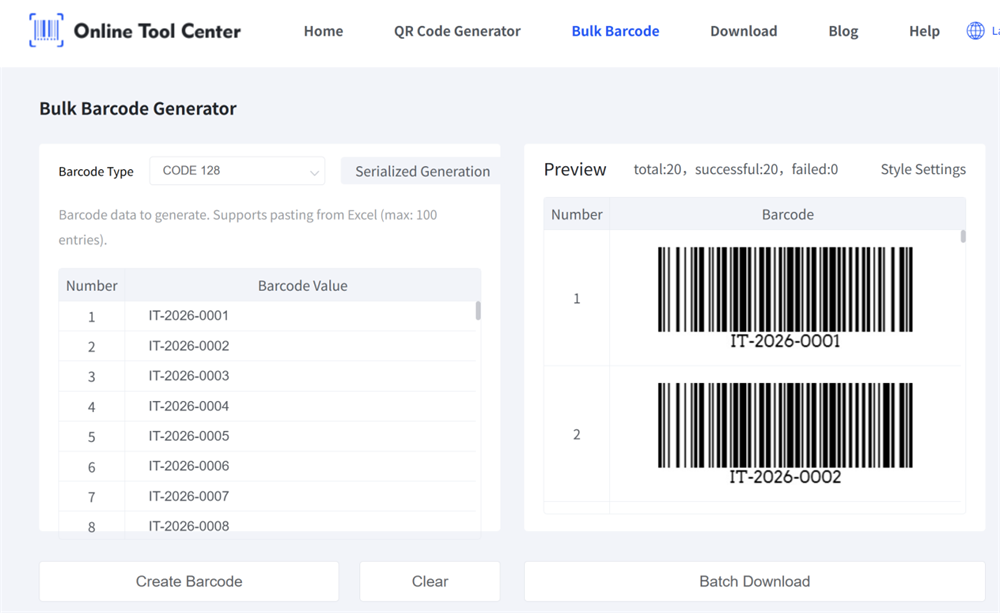
Generating barcodes individually is slow, error-prone, and impractical for real business workflows. A multiple barcode generator solves this by allowing you to:
• Generate barcodes in bulk from Excel or CSV files
• Create sequential or unique barcode values automatically
• Export barcodes in formats ready for printing and labeling
Whether you are labeling inventory, assets, products, or shipments, bulk barcode generation is the fastest and most reliable approach.
How Do I Create Multiple Barcodes from Excel or CSV?
1. Import Your Data
Upload an Excel or CSV file, or paste a list of values into the barcode generator. Each row becomes one barcode automatically.
Common inputs include:
• SKU numbers
• Serial numbers
• Product codes
• Asset IDs
2. Choose Barcode Type
Select the barcode format that fits your use case:
• Code 128 – inventory, logistics, internal systems
• EAN-13 / UPC-A – retail and point-of-sale
• Code 39 – asset tracking, industrial labeling
• ITF-14 – cartons, outer packaging, logistics
The generator automatically applies correct encoding rules and check digits where required.
3. Generate and Export in Bulk
Create dozens or even hundreds of barcodes in seconds and export them as:
• PDF (ideal for label printing)
• PNG / SVG (for digital use or design)
No repetitive input. No formatting headaches.
Free Multiple Barcode Generator (Up to 100 Barcodes at a Time)
Our multi barcode generator is easy and free to use, works directly in your browser, and is fully compatible with both desktop and mobile devices.
Simply paste barcode data from Excel or Google Sheets to generate up to 100 barcodes at once. All generated files are packaged in a compressed ZIP file for convenient download and storage.

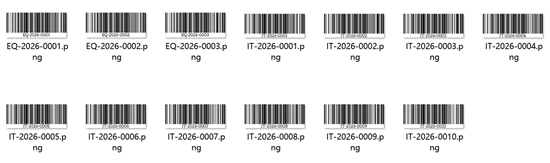
This bulk barcode generator tool also supports advanced customization options, including:
• Show or hide human-readable text
• Adjust margins and barcode size
• Customize background color
• Enable serialized barcode generation
This makes it ideal for small warehouses, retail stores, manufacturers, and asset managers working with Excel-based data.
Common use case include:
1.Inventory & Warehouse Management
Create barcode labels for SKUs, bins, pallets, and locations—fast and consistent.
2.Retail & E-commerce
Generate price labels, product codes, and packaging barcodes for large catalogs.
3.Asset Tracking
Label IT equipment, tools, and fixed assets with unique barcodes.
4.Logistics & Shipping
Produce shipping and tracking labels in bulk for fulfillment operations.
Try it now — generate multiple barcodes directly from Excel in seconds.

Frequently Asked Questions
1. Can I generate multiple barcodes from Excel?
Yes. You can upload or paste data from Excel or Google Sheets, with each row converted into a barcode automatically.
2. How many barcodes can I generate at once?
You can generate up to 100 barcodes per batch.
3. Can I generate retail barcodes like EAN-13 or UPC-A?
Yes. Our multiple barcode generator supports EAN-13 and UPC-A formats. Please ensure proper GS1 usage for commercial applications.
4. Will the barcodes scan correctly after printing?
Yes, as long as you use proper barcode size, contrast, and compatible label printers.
