



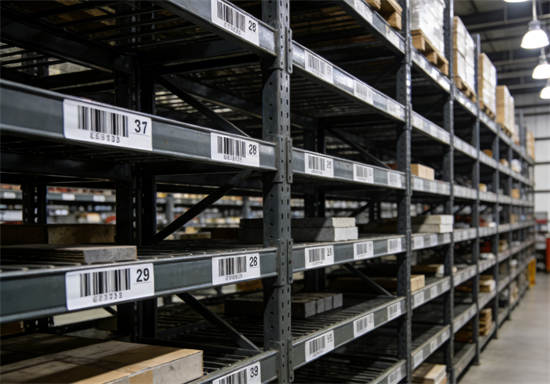
Warehouses often contain hundreds or even thousands of fixed storage locations. A warehouse location barcode assigns a scannable code to each aisle, rack, level, or bin, making it easier to store, locate, and move inventory accurately during daily operations.
When location counts increase, creating barcodes one by one is inefficient and error-prone. This is why most warehouses choose to bulk generate warehouse location barcodes—using a clear naming format and a spreadsheet—to quickly produce consistent, ready-to-use barcode labels at scale.
What Are Warehouse Location Barcodes?
Warehouse location barcodes are barcodes assigned to physical storage locations, not products. They represent places such as:
• aisles
• rack sections (bays)
• shelf levels
• bins or pallet positions
When workers scan a location barcode, the warehouse management system (or manual process) knows exactly where inventory is stored or should be placed.
Because warehouses usually contain large numbers of locations, location barcodes are almost always generated in bulk rather than individually.
Although warehouse location barcodes can technically be generated in many formats, most warehouses standardize on Code 128.
Code 128 offers high data density, supports alphanumeric location codes, and remains reliably scannable at longer distances—making it suitable for aisle signs, rack labels, and pallet positions.
Define a Location Naming Format Before Bulk Generation
Before you generate any barcodes, you need a consistent location naming convention. This step is critical—changing the format later often means reprinting labels and retraining staff.
A widely used and easy-to-scale structure is:
Aisle – Bay – Level – Bin
Example location codes
A01-B03-L02-B07
A01-B03-L02-B08
A02-B01-L01-B01
Best practices for location naming
✅Use fixed-length segments (e.g., A01 instead of A1)
✅Choose one separator style (- or none) and stay consistent
✅Avoid ambiguous characters (O vs 0, I vs 1)
✅Leave room for expansion (future aisles, bays, or levels)
Once defined, this format becomes the foundation for bulk barcode generation.
Prepare a Spreadsheet for Bulk Location Barcode Generation
Spreadsheets are the fastest and most reliable way to prepare data for bulk barcode creation.
Recommended spreadsheet structure
LocationID | Aisle | Bay | Level | Bin |
A01-B01-L01-B01 | A01 | B01 | L01 | B01 |
A01-B01-L01-B02 | A01 | B01 | L01 | B02 |
A01-B01-L02-B01 | A01 | B01 | L02 | B01 |
A01-B02-L01-B01 | A01 | B02 | L01 | B01 |
A02-B01-L01-B01 | A02 | B01 | L01 | B01 |
Important:
Only the LocationID column is required for barcode generation. The other columns are useful for internal reference and validation.
Tips for clean bulk data
• One location code per row
• No extra spaces before or after values
• No duplicate LocationIDs
• Keep formatting consistent across all rows
A clean spreadsheet prevents errors and ensures smooth bulk generation later.
How to Bulk Generate Warehouse Location Barcodes (Step-by-Step)
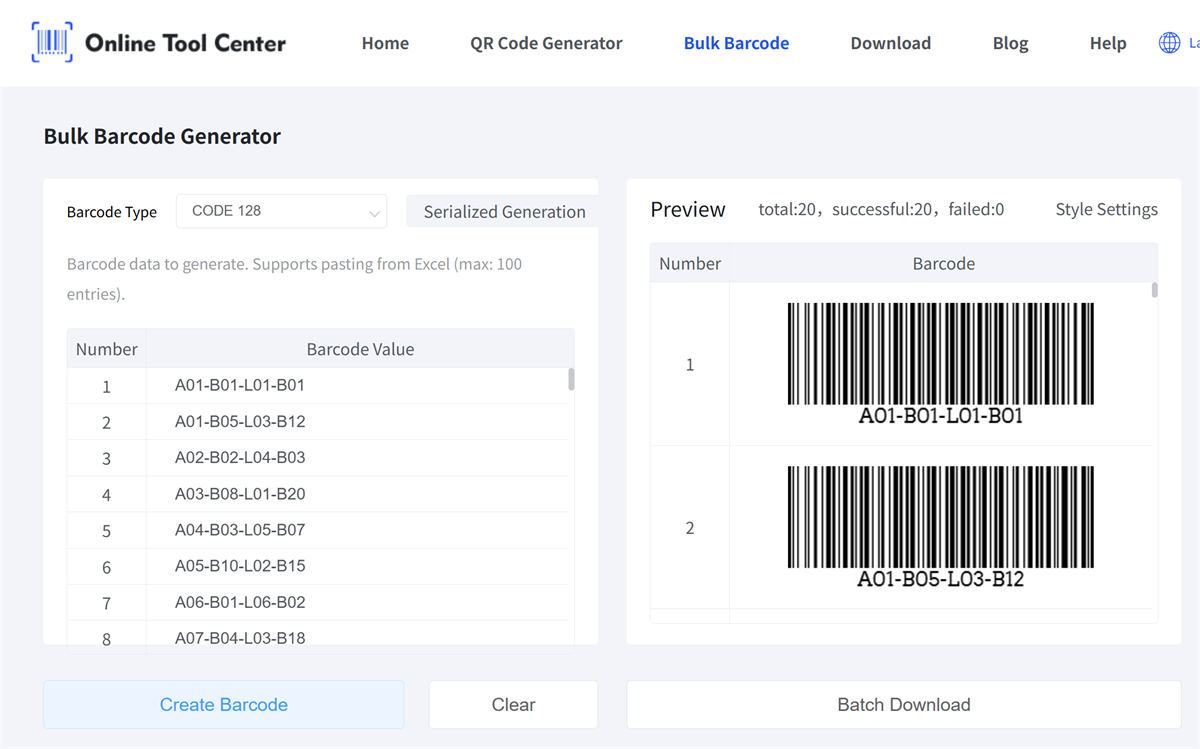
Once your location codes are ready, you can move on to barcode generation. The following workflow reflects how warehouses typically generate location labels at scale.
Step 1: Finalize your location list
Confirm that every warehouse location has a unique LocationID, listed one per line in your spreadsheet.
Step 2: Paste the list into a bulk barcode generator
Use a bulk barcode generator that supports spreadsheet-style input. Select the right barcode type and copy the LocationID column and paste it directly into the generator input field.

Step 3: Adjust barcode properties
Before generating the barcodes, configure basic settings to match your labeling needs, such as:
• whether to display human-readable text under the barcode
• margin or quiet zone spacing
• preferred image output format (PNG, JPG, or GIF)
These settings help ensure the barcodes remain scannable and fit your label layout.
Step 4: Generate and download all barcodes at once
Generate the full batch and download the barcode images. At this point, you have a complete set of warehouse location barcodes ready for printing or layout.
This bulk workflow allows hundreds of location barcodes to be created in minutes instead of hours.
Printing and Applying Warehouse Location Barcodes
Generating barcodes is only part of the process. Proper printing and placement are just as important.
Practical printing tips
• Use consistent label sizes for similar locations
• Ensure sufficient contrast between bars and background
• Avoid glossy or reflective surfaces when possible
Placement best practices
• Place labels at a consistent height across aisles
• Position barcodes where scanners naturally point during picking or putaway
• Avoid placing labels where forklifts or pallets may damage them
Before full rollout, print and apply a small test batch to confirm scan reliability in real conditions.
Ready to Bulk Generate Warehouse Location Barcodes?
Once your location list is ready, use our free bulk barcode generator to generate all warehouse location barcodes in just a few steps. Simply paste your codes, adjust basic settings, and download your barcodes for printing or layout.
