



Do you need a barcode right now? You are holding your smartphone, but you don't want to download yet another app. You shouldn't have to. With our mobile barcode generator, everything becomes simple.
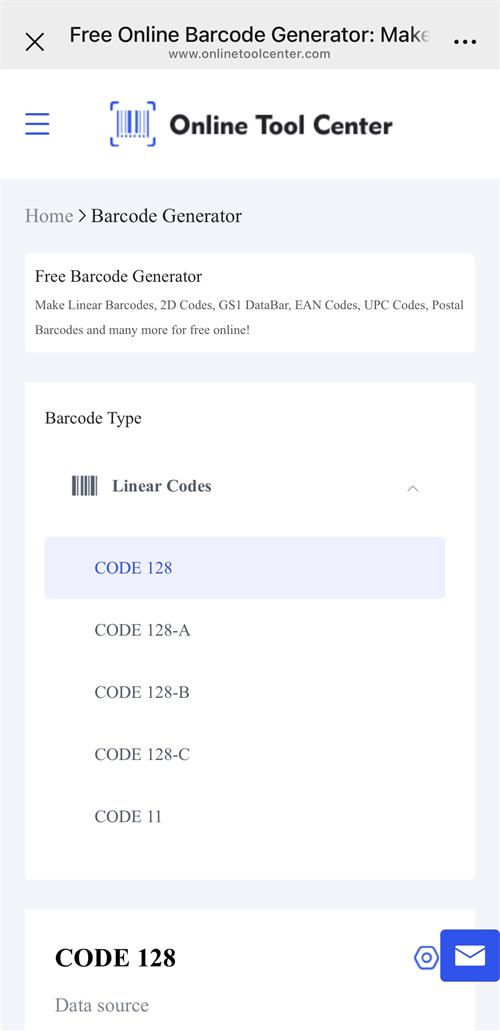
Whether you are a warehouse manager tracking inventory, a small business owner labeling products, or simply making a employee ID Barcode, our mobile barcode generator is your solution. It turns your mobile browser into a powerful, professional design tool.
Here is why you should skip the App Store and use our online tool instead.
What is a Mobile Barcode Generator?
A mobile barcode generator is a tool that lets you create scannable barcodes directly on a smartphone or tablet—without needing a desktop computer.
While many people search for "apps" to do this, the most efficient method is actually a responsive web tool. Our website adapts perfectly to your iPhone or Android screen. It lets you generate, customize, and download high-quality barcode images without installing any software.
In addition, our tool supports all commonly used 1D barcodes as well as QR codes. It's easy to use, doesn't add watermarks to your images, and works as a free mobile barcode generator for everyday tasks.
How to Create a Barcode on Your Phone (Step-by-Step)
Creating a barcode on a small screen should be easy. We optimized our interface specifically for mobile users. Follow these simple steps:
1. Select Your Format
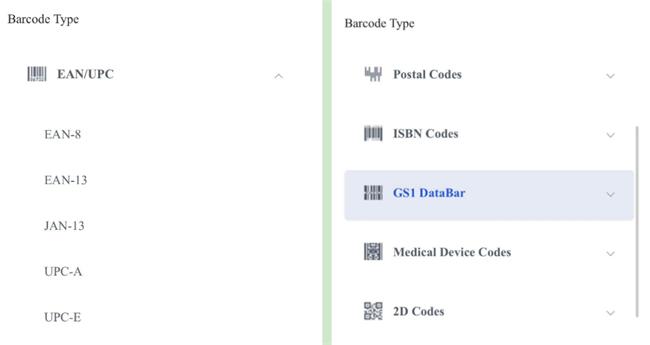
Tap the dropdown menu. Choose the symbology you need.
• Retail? Choose EAN-13 or UPC-A.
• Logistics? Choose Code 128.
• Links/Text? Choose QR Code.
2. Enter Your Data
Tap the input box. Type in your numbers, text, or URL using your phone's keyboard. Our tool validates the data instantly.
3. Generate & Customize
Tap the "Create Barcode" button. Your barcode with text will appear instantly.
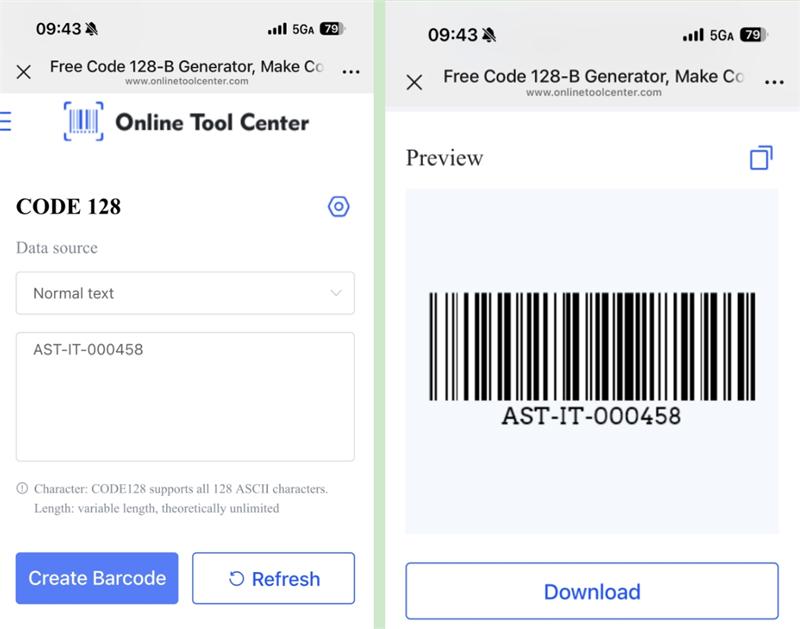
Want your barcode to stand out? Adjust the height, width, or color directly on your touchscreen.
4. Download and Save
Choose your preferred export format—JPG, PNG, SVG, and more.
Tap the “Download” button and follow the on-screen instructions. Your barcode will be saved to your device in seconds.
Who Needs a Mobile Barcode Generator?
Our users come from all industries. Here is how they use our tool on the go:
✅Inventory Managers: Create and replace product labels, update bin locations, generate batch or item codes directly in warehouse aisles.
✅Small Business Owners: Generate SKU barcodes, price labels, and product codes on a phone or tablet, then print them via portable label printers.
✅Office & HR Teams: Generate employee ID barcodes, asset tags, and attendance codes for internal management and access systems.
✅Event Organizers: Generate unique barcodes for guest check-ins instantly at the door.
Frequently Asked Questions (FAQ)
Q1: Is this mobile barcode generator really free?
Yes. Our tool is completely free to use on any mobile device. There are no hidden fees or subscription walls.
Q2: Do I need to register an account?
No. We value your speed. Open the site, generate your code, and save it. No login is required.
Q3: Can I generate QR codes on my mobile too?
Absolutely. While "barcode" often implies vertical lines, our tool supports full 2D QR code generation suitable for URLs, vCards, and Wi-Fi passwords.
Q4:Will the barcodes work on Instagram or Facebook?
Yes. The barcodes are saved as high-quality images (PNG/JPG). You can upload them to social media or email them just like any other photo.
Ready to Create?
Stop searching for apps. Save your storage space. Start using the best Mobile Barcode Generator now! Create, save, and scan—all from the palm of your hand.

