



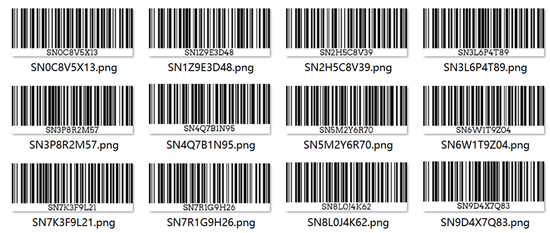
If you've ever tried to create barcodes one by one, you know it gets painful fast. The moment you have a long SKU list or inventory sheet, you start typing things like “barcode generator bulk” into Google and hope there's a smarter way.
Good news: there is.
This FAQ-style guide pulls together the most common questions people ask about bulk barcode generators – especially when using Excel, choosing barcode types, dealing with limits, and actually getting those labels printed.
Q1. What is a bulk barcode generator and how is it different from a normal barcode generator?
A bulk barcode generator is a tool that lets you create many barcodes at once from a list of values – instead of generating them one by one.
• Normal barcode generator - one value in, one barcode out
• Bulk barcode generator - one list in, a whole batch of barcodes out
Instead of repeating “type - generate - download” dozens of times, a batch barcode generator let you:
• Paste a list of values (for example, from Excel)
• Choose a 1D or 2D barcode type (Code 128, EAN-13, UPC-A, Code 39, ITF-14, etc.)
• Generate and download everything in one ZIP
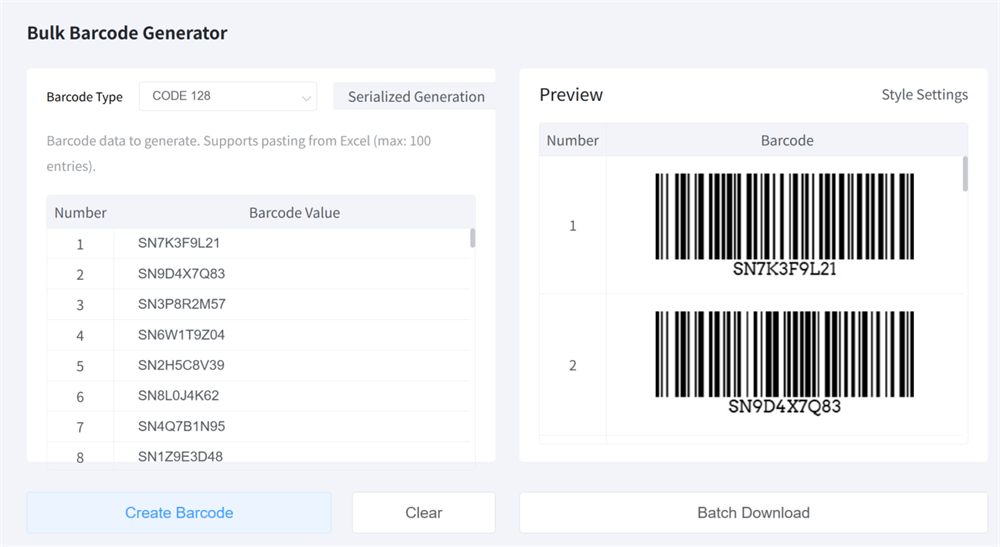
If you work with products, inventory, shipping or asset tags, just use our free bulk barcode generator online to batch create Code 128, Code 39, UPC, EAN and more.
Try it now!
Q2. How many barcodes can I generate at once for free?
It depends on the tool, but most free bulk barcode generator tools allow a generous batch size, such as:
• Up to 50–100 barcodes per run
• Optionally a soft daily limit to keep the service fast
You can always split a big list into several batches.
Q3. Which 1D barcode formats are supported in bulk?
Most bulk tools focus on 1D (linear) barcodes, which are perfect for labels and scanners.
Common formats:
• Code 128 – flexible, compact; great for inventory, warehouse and asset IDs
• Code 39 – simple internal labels and asset tags
• EAN-13 – standard retail barcode in many countries
• UPC-A – standard retail barcode in North America
• ITF-14 – used on outer cartons and pallets
Some tools also support GS1-128 for logistics labels.
If you need a bulk Code 128 barcode generator for internal use, or bulk EAN-13 / UPC-A for retail products, check that these formats are explicitly supported.
Q4. Is the bulk barcode generator really free? Any watermarks or hidden limits?
This is one of the most common questions, and honestly, you're right to ask.
With a good free bulk barcode generator, you should expect:
• No watermark on the generated barcodes
• No forced registration just to download images
• No sneaky paywall after your first batch
That's exactly how our own free bulk barcode generatoronline works: you can paste your barcode values, generate multiple Code 128 / Code 39 / UPC / EAN / GS1-128barcodes in one go (up to 100 barcodes per batch), and download clean images (PNG, JPG, etc.) without creating an account or paying a cent.
If you'd like a step-by-step walkthrough, check out our detailed guide here: Bulk Barcode Generator 128 Guide.
Q5. Can I generate barcodes in bulk for my products, SKUs, or inventory labels?
Yes – this is one of the primary use cases for any bulk barcode generator.
Typical scenarios:
• You're launching a new product line and need retail barcodes (EAN-13 or UPC-A) for each SKU
• You maintain a large catalog of products and want Code 128 barcodes for internal inventory labels
• You're organizing warehouse shelves, bins, or pallets and need scannable IDs
Q6. How do I print barcodes generated in bulk on label sheets?
Here's a simple printing workflow:
1. Generate and download
• Use the bulk tool to generate barcodes
• Download them as a ZIP and extract the image files (PNG / JPG / GIF)
2. Open your label template
• In Word, Google Docs or label software
• Choose a template matching your label sheets
3. Insert the barcode images
• One barcode per label cell
• Keep white space (quiet zone) around the bars
• Don't stretch or distort the image
4. Print and test
• Use at least 300 DPI
• Turn off “fit to page” scaling
• Print a test page and scan a few labels
Once your template is set up, printing barcode labels from a bulk generator becomes a quick routine.
Q7. Why do some of my barcodes not scan, and how can I fix it?
Non-scanning barcodes usually come down to a few common issues:
1. Wrong data format or length
• EAN-13 / UPC-A have strict length rules
• If your numbers are too long or short, scanners will reject them
• For internal use, Code 128 is more forgiving
2. Image too small or low-resolution
• Tiny, pixelated barcodes are hard to read
• Use higher-resolution images and don't over-compress
3. Poor print quality
• Low ink, smudging or glossy surfaces can cause misreads
• Use decent paper and a good print mode
4. Bad contrast or background
• Stick with dark bars on a light background, ideally black on white
5. Quiet zone cut off
• Don't crop too close or place text/graphics right next to the bars
To fix problems, try:
• Regenerating a larger barcode
• Switching to Code 128 for internal IDs
• Re-printing with better settings and materials
• Testing a few samples with the scanner your team actually uses
Q8. Can I generate sequential barcodes in bulk (for example, 0001–0100)?
Yes, and it's easier than it looks.
Two simple options:
1. Tool supports barcode generator by sequence
• Some bulk generators let you define a start value, end value, and step, and then automatically fill in all the values in between.
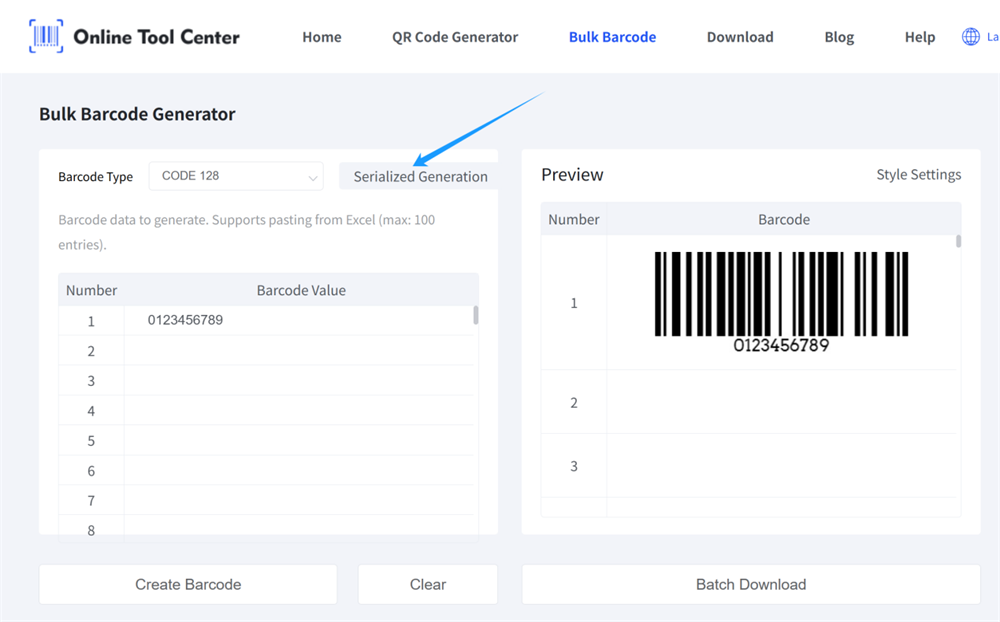
• For example, 0001 - 0100 in one run
2. Use Excel for the sequence, then paste the list
• Generate a column of sequential numbers with formulas or fill-down
• Format as Text if you need leading zeros
• Paste that column into your barcode generator bulk tool
Either way, you get a neat batch of numbered barcodes with minimal effort.
Q9. Is a free bulk barcode generator enough for my small business, or do I need paid software?
For many small and medium-sized businesses, a free online barcode generator bulk tool is more than enough.
It's usually enough when:
• You generate barcodes from Excel a few times a month
• You need labels for shelves, boxes, products, or equipment
• You're okay with designing the label layout in Word, Google Docs, or a simple label program
You might consider paid desktop software when:
• You print thousands of labels every day
• You need automated printing, direct database connections, or complex GS1 logistics labels
• You have strict integration requirements with ERP/WMS systems
For most users who just want to generate barcodes in bulk quickly, a solid free tool is the easiest way to get the job done without breaking the bank.
Final Thoughts: Ready to Try a Barcode Generator Bulk?
Now you know what a bulk barcode generator does and how to use it with Excel, which 1D formats to pick, and how to print barcodes that actually scan.
The next step is simple:
Grab your SKU or inventory list in Excel, pick a barcode type like Code 128 or EAN-13, and drop the values into a free online bulk barcode generator. In a couple of clicks, you'll have a full batch of printer-ready barcodes.
Once you've done it once, you'll wonder why you ever generated barcodes one by one.
