



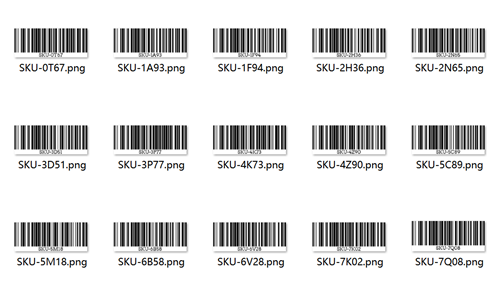
If you already have a long list of SKUs, product IDs, or internal codes in a spreadsheet, the fastest way to create barcodes is to combine Excel (or Google Sheets) with a barcode generator bulk tool. Instead of typing each value by hand, you simply prepare one clean column of data and generate all your barcodes in one go.
Here's the basic workflow.
1. Prepare your data in Excel or Google Sheets
• Put all the values you want to encode in a single column
• One row = one barcode (SKU, product ID, internal code, etc.)
For example:
SKU-1A93 |
SKU-7K02 |
SKU-5M18 |
SKU-9D44 |
… |
2. Clean up the column
Before you paste anything into a bulk barcode generator, make sure the data is clean:
• Delete empty rows
• Remove leading/trailing spaces (TRIM is your friend)
• Make sure there are no unsupported characters for the barcode type you plan to use
Good data in = clean barcodes out.
3. Handle leading zeros correctly
For some barcode standards, like EAN-13 or UPC-A, leading zeros are important.
• Set the Excel column format to Text, so Excel doesn't automatically drop those zeros
• Double-check that numbers like 012345678901 stay exactly as they are
If you skip this step, your barcodes may end up with the wrong value and won't match what your POS or system expects.
4. Copy and paste into your bulk barcode generator
Once your column is ready:
• Choose your barcode type (for example, Code 128, EAN-13, UPC-A)
• Select the right barcode image type, jpg png or others
• Select the entire column
• Copy it
• Paste into the multi-line input box of your bulk barcode generator from Excel
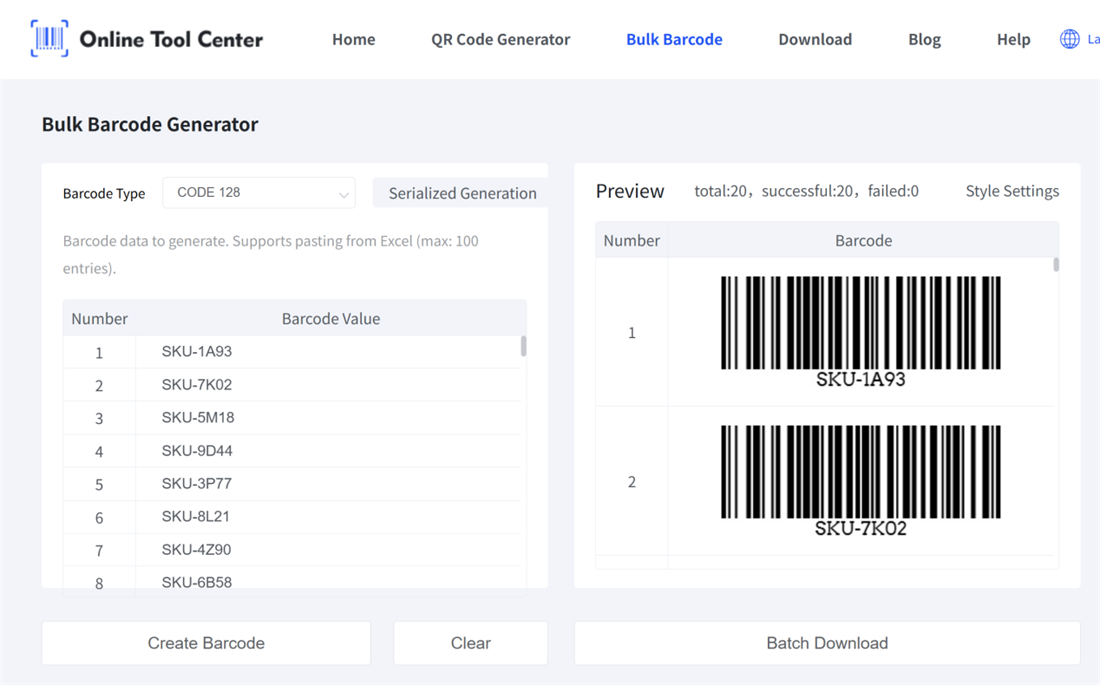
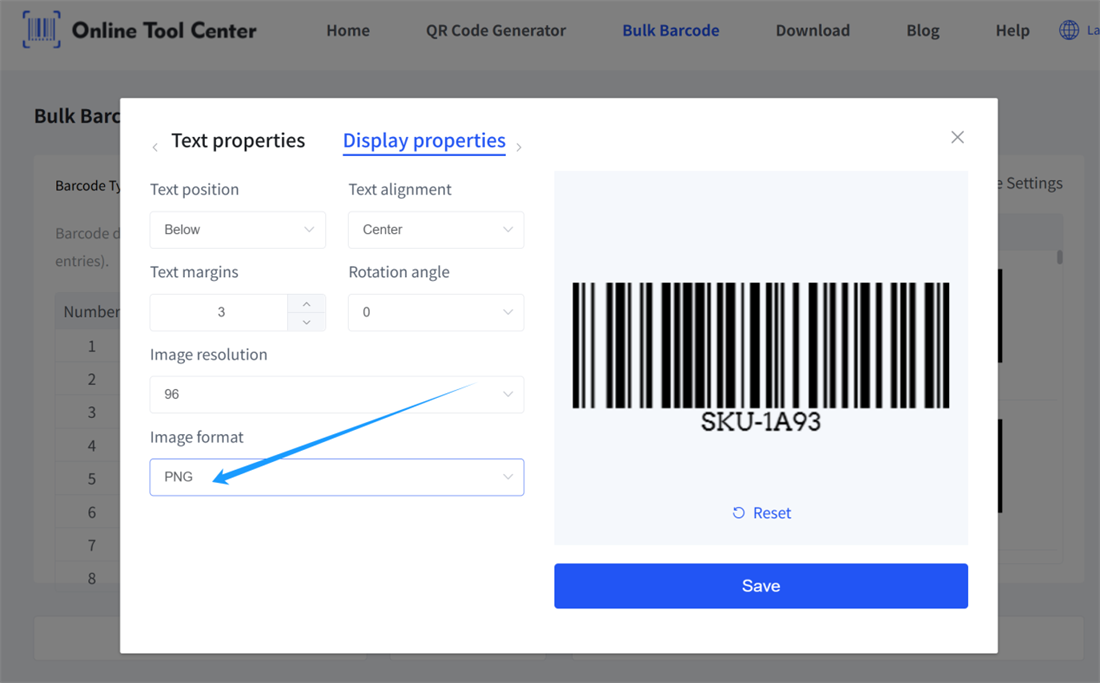
Most barcode generator bulk tools accept one value per line. Click batch generate, then download all barcode images as a ZIP file.
That's it. No need to upload CSV files if you don't want to – copy, paste, generate, done. It's an easy way to generate barcodes in bulk from an Excel list.
Want to generate barcodes in bulk for your products, inventory, or assets? Try our free online bulk barcode generator and create your first batch in just a few clicks!
