



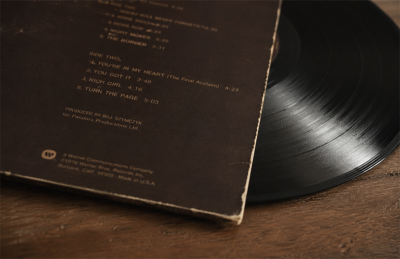
Releasing a vinyl record represents a significant investment in studio time, pressing, artwork, and manufacturing. To ensure your release is retail-ready, one critical technical requirement is a properly registered and scannable barcode.
Without a valid UPC (Universal Product Code), your vinyl may face barriers with distributors, record stores, and official sales tracking systems. This guide provides independent artists and record labels with clear, standards-based information on acquiring and generating a professional barcode.
Why a Valid Barcode Matters for Vinyl Releases
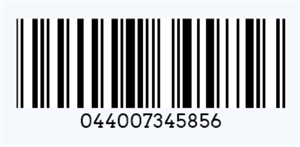
A barcode is more than a visual element — it serves as a unique product identifier in global retail systems.
• Retail Acceptance: Most record stores and retailers use Point-of-Sale (POS) systems that rely on scannable barcodes for inventory management. Products without barcodes require manual entry, which many retailers avoid.
• Sales Tracking: Luminate (formerly Nielsen SoundScan) requires a registered UPC to track physical sales accurately. This data directly impacts Billboard charts and other industry reporting.
• Distribution Requirements: Major and independent distributors typically require a valid UPC as part of their onboarding process. It enables proper tracking through the supply chain.
Understanding UPC vs EAN for Music Releases
•UPC-A (12-digit): The standard in North America.
•EAN-13 (13-digit): The international standard, widely used in Europe and other regions.
Recommendation: If you are primarily releasing in North America, use a UPC. For international distribution, consider obtaining an EAN-13 (or both). Each physical format (vinyl, CD, cassette) must have its own unique code.
The Two-Step Process for a Retail-Ready Barcode
Step 1: Acquire a Legitimate UPC/EAN Number
A barcode image is only as valid as the number it represents. You must obtain a GS1-compliant code.
Recommended options:
•Purchase directly through GS1 (official global standard) for long-term ownership.
•Use authorized resellers for single or small quantities (more cost-effective for independent releases).
Important: Never use randomly generated numbers or free generic barcodes for commercial releases. They are not registered and will not be recognized by retail systems or Luminate.
Step 2: Generate a High-Quality Barcode Image
Once you have obtained your registered UPC or EAN number, the next step is to convert it into a professional, scannable barcode image that meets industry standards.
Key Technical Requirements for Vinyl Releases:
• Format: Use vector formats such as SVG or EPS for best results. High-resolution PNG (minimum 300 DPI, ideally 600 DPI) is also acceptable.
• Dimensions: For standard vinyl jackets, aim for approximately 2 inches (50mm) wide by 1–1.25 inches (25–32mm) tall.
• Quiet Zone: Leave sufficient white space on both left and right sides (at least 9–11 times the width of the narrowest bar, per GS1 guidelines). This is essential for reliable scanning.
• Human Readable Text: Display the numeric code below the bars using a clear, OCR-friendly font (typically 9–12 pt).
How to Generate Your Professional Barcode
You can quickly create a print-ready barcode using a reliable online tool. Here's the recommended process:
1. Enter your registered UPC or EAN number (ensure it is a valid, GS1-compliant code).
2. Select the correct symbology (UPC-A for North America or EAN-13 for international releases).
3. Customize settings: Adjust size, add quiet zones, and choose human-readable text placement.
4. Generate and download: Export in SVG (preferred for printing) or high-resolution PNG.
5. Test thoroughly: Scan the barcode with both retail scanners and mobile devices before finalizing your artwork.
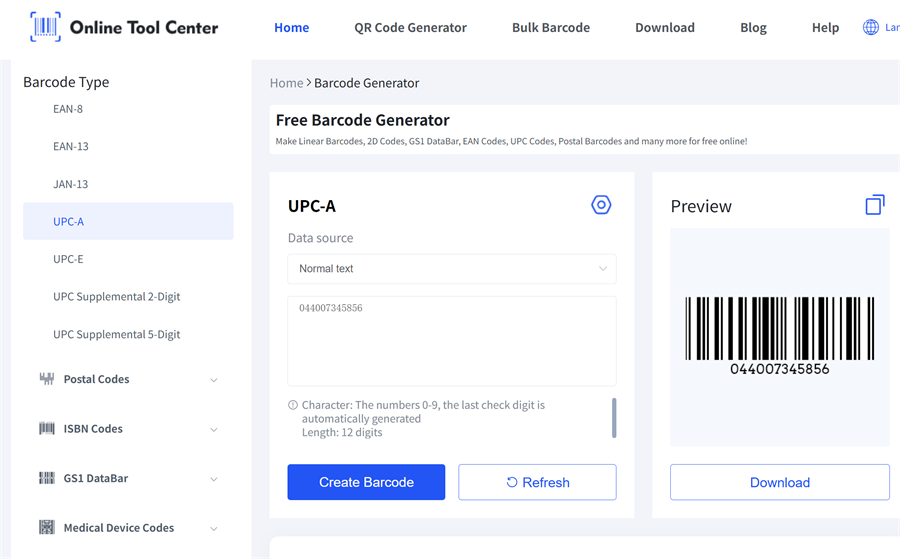
Recommended Tool: Our free online barcode generator is specifically designed for high-precision needs like vinyl releases. It allows you to generate UPC, EAN, and GS1-compliant barcodes with vector output (SVG) and no watermarks — no registration required. Perfect for independent artists and labels to create print-ready barcodes in seconds.
Generate Your Vinyl Barcode Now!

Pro Tip: Always print a test label at actual size and verify scanning accuracy with multiple devices before sending files to the pressing plant.
Common Mistakes to Avoid
• Using the same barcode across different formats (vinyl vs CD vs digital).
• Insufficient quiet zones or crowding the barcode with artwork.
• Low-resolution or compressed images that fail at the pressing plant or retail scanner.
• Purchasing barcodes from unverified third parties that do not guarantee GS1 compliance.
Final Recommendations
A properly registered and professionally generated barcode is a small but essential part of a successful vinyl release. It ensures compatibility with distributors, retailers, and official tracking systems.
Treat your barcode with the same attention to detail as your mastering and artwork. When done correctly, it allows your music to move smoothly from the pressing plant to record stores and ultimately to your audience.
