Running a small business or managing a warehouse often means producing hundreds—or even thousands—of labels, and a free bulk barcode generator is one of the fastest ways to get that job done without paying for complex software. Instead of subscriptions or heavy desktop tools, you can generate barcodes online in minutes and keep your labeling workflow simple and scalable.
If you're searching for an online barcode generator bulk free, here are the key features worth paying attention to—helping you avoid common issues such as watermarks, limited export options, and other problems that can slow down your workflow later on.
1.Support for the Most Common Barcode Standards Used in Business
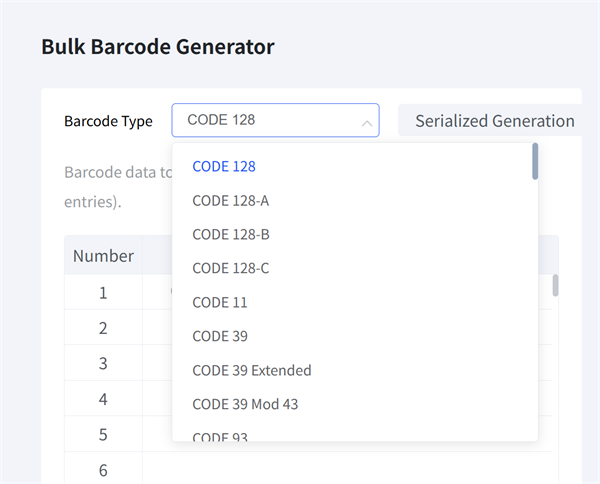
When generating barcodes in bulk, compatibility matters more than novelty. A practical tool should focus on the barcode formats that are widely used across logistics, retail, and internal tracking systems.
Commonly used standards include:
• Code 128 — widely used for inventory tracking, logistics, and internal labeling
• UPC-A and EAN-13 — essential for retail products and marketplace listings
• Code 39 and ITF-14 — often used in industrial and carton-level applications
Why this matters:
A batch barcode generator that produces accurate, standards-compliant barcodes helps ensure consistent scanning performance across different scanners, printers, and environments. This is especially important when labels are printed in bulk and applied at scale.
2.Flexible Export Options for Different Use Cases
A useful bulk barcode generator should offer multiple export formats, allowing users to choose what best fits their workflow.
Image-based formats such as PNG are especially popular because they:
• Work across nearly all operating systems and software
• Can be easily inserted into Word documents, spreadsheets, label templates, or design tools
• Preserve sharp edges and clear contrast when properly generated
Having format flexibility gives users more control over how barcodes are stored, shared, and printed—whether for labels, packaging, or documentation.
3.True Bulk Processing That Matches Spreadsheet Workflows
Bulk generation should actually feel “bulk.”
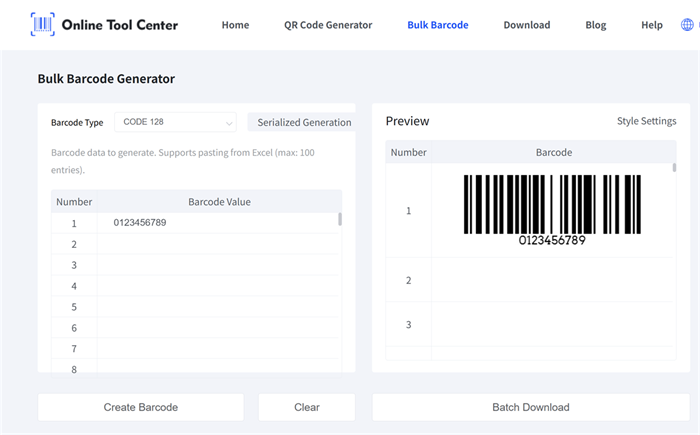
Instead of entering codes one by one, a practical tool allows users to work the same way they already manage data—through spreadsheets. Copying and pasting a list of SKUs, serial numbers, or product codes directly from Excel or CSV files should be fast and straightforward.
For example, our online bulk barcode generator supports pasting up to 100 codes from Excel at a time. This way, whether you are generating 20 barcodes or processing larger batches in chunks, the process takes seconds, not hours.
Tip: Cleaning your data before uploading—removing duplicates or extra spaces—helps avoid errors during batch generation.
4.Clean Output Without Watermarks or Forced Registration
One of the most common frustrations with free tools is discovering limitations after the work is done.
A truly free bulk barcode generator should provide:
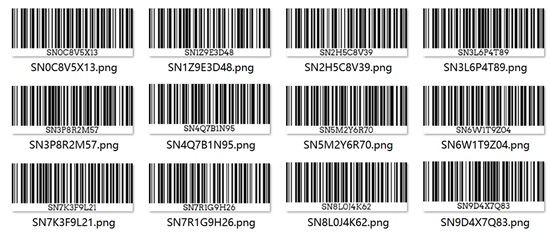
• Clean barcode images without watermarks
• No mandatory account creation or email registration
This ensures users can generate, download, and print barcodes immediately—without interruptions or unexpected restrictions.
5.Fast, Browser-Based Performance
Modern tools don't need heavy desktop installations. A browser-based generator allows users to work from different devices and locations, whether in an office, warehouse, or remote environment.
Efficient server-side processing also helps ensure that even large batches of data can be handled smoothly, without slowing down the browser or causing crashes.
How to Generate Barcodes in Bulk: A Simple 3-Step Process
Creating a batch of barcodes doesn't have to be complicated. Using our free bulk barcode generator, the entire process is designed to be fast and straightforward:
A typical workflow looks like this:
• Select a barcode format based on your use case (for example, Code 128 for internal tracking).
• Paste your data—one value per line—directly from your Excel spreadsheet.
• Generate and download your barcodes in your preferred image format, ready for printing or layout.
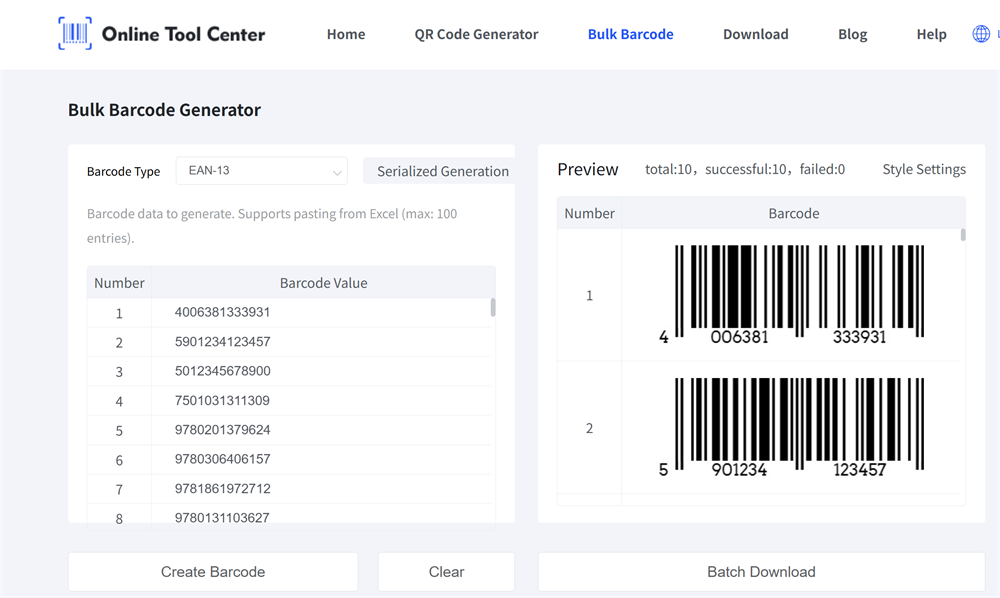
This approach keeps the process simple while remaining flexible enough for different labeling needs.
Recommended reading: How to Bulk Generate EAN-13 and UPC-A Barcodes for Free — learn the detailed, step-by-step process for creating barcodes in bulk.
Frequently Asked Questions
Q1: Can I use bulk-generated barcodes for Amazon or marketplace labeling?
A: Yes. Many sellers generate barcodes such as Code 128 or UPC for internal tracking or label layout. Always ensure marketplace-specific labeling requirements are met before printing.
Q2: Which image format is best for barcode printing?
A: PNG is commonly recommended because it preserves sharp edges and consistent contrast, which helps maintain reliable scan performance across different printers and scanners.
Q3: Do I need to install any software?
A: No. Browser-based bulk barcode generators allow you to create and download barcodes directly online without installing additional programs.
If you want to avoid complex software, unnecessary registrations, or watermarked downloads, a streamlined online barcode generator solution can save significant time.
Ready to Generate Barcodes in Bulk?
Try our Free Bulk Barcode Generator and create clean, ready-to-use barcode images in minutes.