



A QR code seating chart allows guests to scan a code and instantly find their table or seat assignment on their phone, helping reduce congestion and improve event check-in efficiency.
However, many events still rely on printed seating boards—creating bottlenecks at the entrance, slowing down guest flow, and increasing staff workload.
Guests gather in one place, struggle to find their names, and repeatedly ask the same question:
"Where am I sitting?"
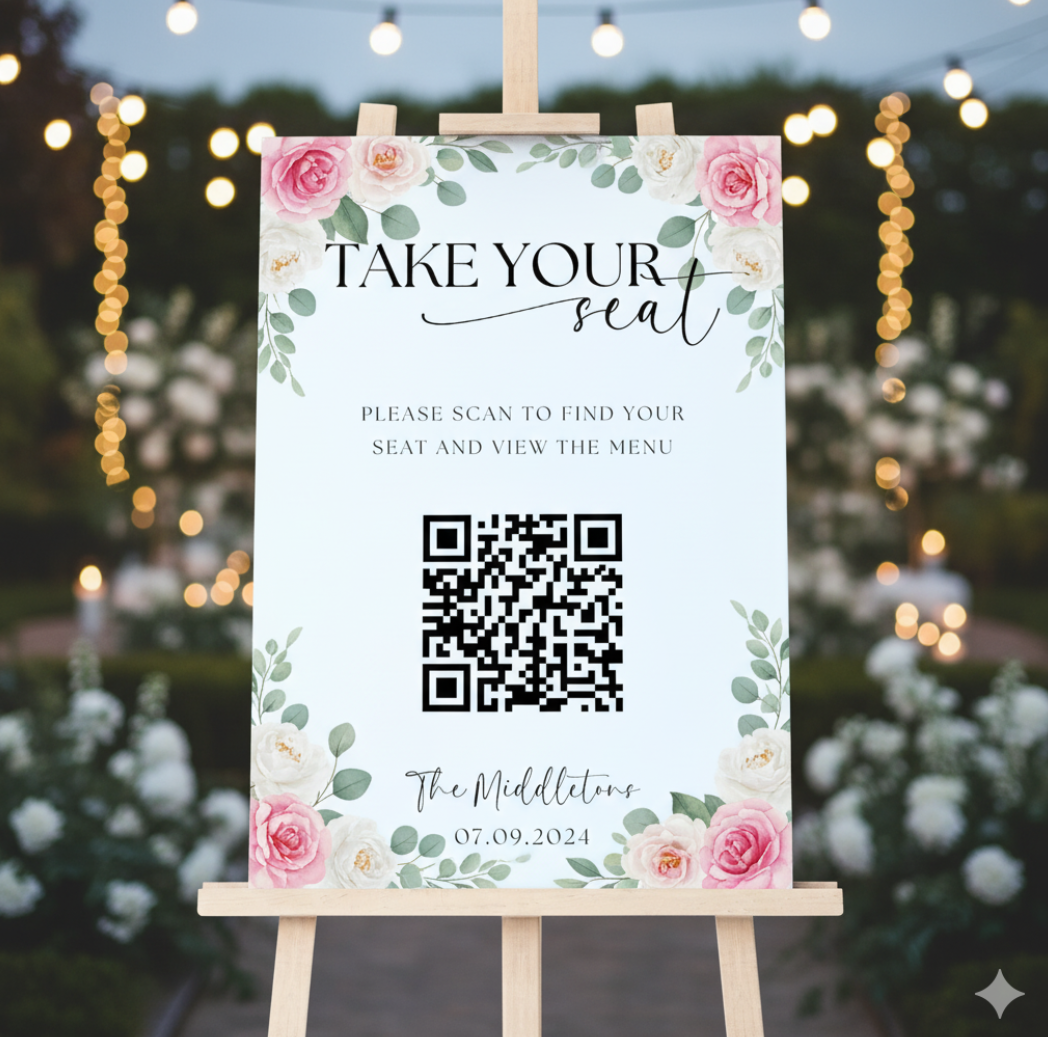
That's why more planners are switching to QR-based seating systems.
But here's the key: a QR code alone doesn't solve the problem—the overall seating experience does.
What Is a QR Code Seating Chart (And How It Actually Works)
A QR code seating chart is a simple concept:
Guests scan a code, and they see their table or seat assignment on their phone.
But there are actually three different ways this can work, and most guides don't explain the difference.
1. Static Seating Chart (PDF or Image)
- QR code links to a fixed file
- Easy to create
- Hard to update
Works for small, finalized events
2. Searchable Seating Page
- QR code links to a page with a search bar
- Guests type their name, and instantly see their table assignment
Best balance of:
- • speed
- • usability
- • scalability
3. Personalized QR Codes (Advanced)
- Each guest gets their own QR code
- Scanning the code shows only their assigned seat
Ideal for:
- • conferences
- • VIP events
- • ticketed experiences
Why Event Planners Are Replacing Printed Seating Charts
The shift isn't just about "going digital." It's about fixing real operational problems.
1. Entrance bottlenecks disappear
Instead of one crowded board, guests check their seats individually.
In medium-sized events (200–400 guests), this can reduce check-in congestion by 40–60%.
2. Last-minute changes become manageable
Guest cancellations, VIP adjustments, table merges—these happen constantly.
With a digital seating chart:
- update once
- everyone sees the latest version instantly
3. Better accessibility for all guests
- zoomable text
- screen reader compatibility
- multilingual support
Printed boards simply can't match this.
4. Lower cost and less waste
No reprints. No oversized boards. No manual escort cards.
Many planners report 70–90% reduction in printing costs.
QR Code Seating Chart Use Cases for Events and Venues
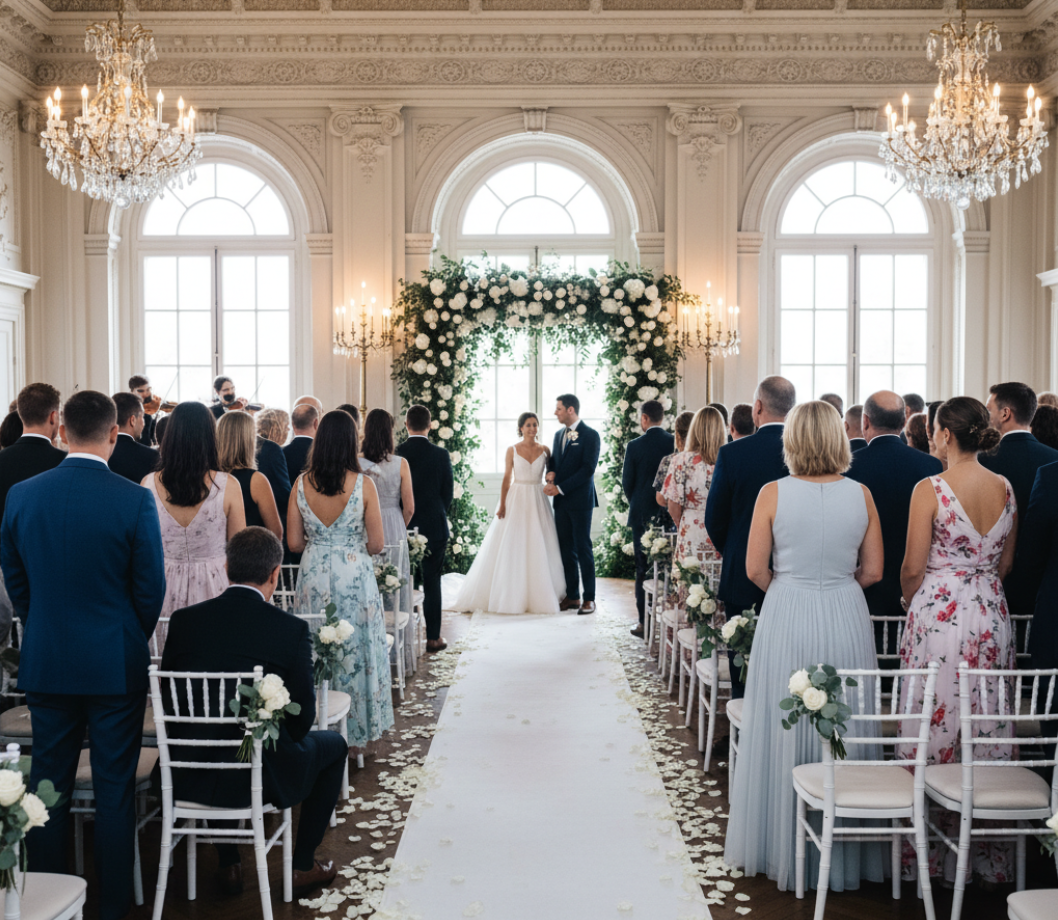
QR code seating charts can be used across a wide range of events. They are especially useful in situations where guest management, seating organization, and smooth check-in are important.
Weddings and Receptions
A wedding seating chart QR code is one of the most popular use cases.
Weddings often involve:
- large guest lists
- last-minute RSVP changes
- outdoor or multi-area venues
Instead of crowding around a printed board, guests can simply scan the code and find their table instantly.
Corporate Events and Conferences
For business events, QR codes help streamline both seating and check-in.
They can be used as part of an event check-in QR code system, allowing attendees to:
- quickly locate their assigned seats
- move efficiently between sessions
- reduce reliance on staff
Venues and Banquet Halls
Event venues that host frequent functions can benefit from a reusable venue QR code setup.
Rather than printing new seating charts for every event, venues can:
- update seating information digitally
- reuse the same QR code signage
- simplify operations across multiple bookings
Fundraisers and Gala Dinners
These events often involve:
- sponsor tables
- donor-tier seating
- frequent adjustments
Using a QR code seating chart helps organizers manage changes without disrupting the guest experience.
Schools and Large Gatherings
In large-scale environments such as:
- graduations
- orientation events
- parent meetings
QR codes make it easier to manage high volumes of attendees where traditional signage may not be effective.
How to Create a QR Code for a Seating Chart (Step-by-Step)
This is where most people overcomplicate things. You don't need a complex system—you just need the right flow.
1 Create Your Seating Chart
No matter the event type, the first step is always to make a seating chart online.
Start with a format that works on mobile:
- Google Sheets
- PDF (simple layout)
- Web page
Tip: For larger events, always include alphabetical order and a search function.
2 Make It Accessible Online
Your QR code needs a destination. Make sure:
- the link is public
- no login is required
- it loads quickly on mobile
3 Generate Your QR Code
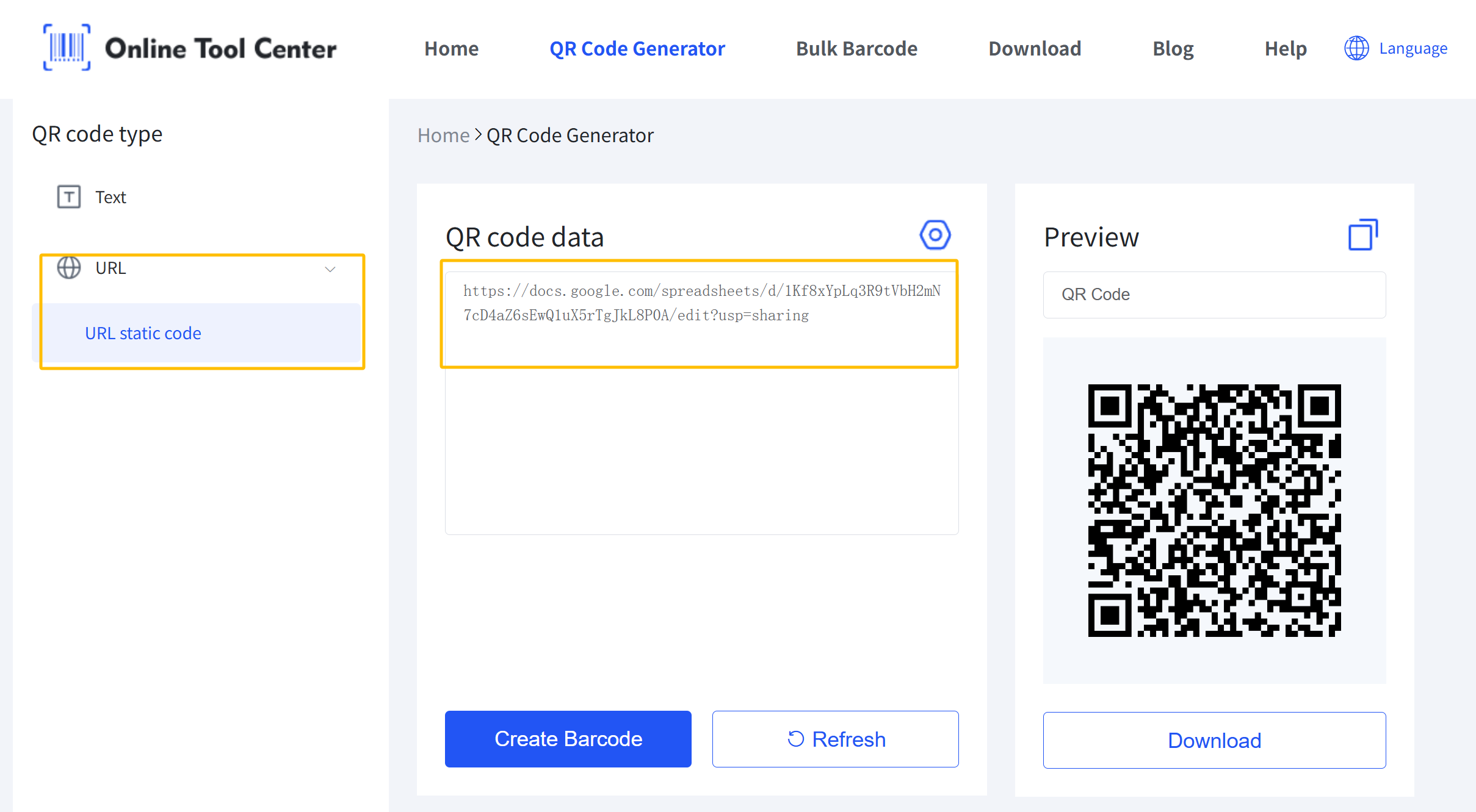
Now you convert your link into a QR code. You can do this using a free QR Code Generator by OnlineToolCenter.
With it, you can:
- • Instantly generate a QR code from your seating chart link
- • Download high-resolution images (SVG, PNG, etc.) for printing
This step takes less than a minute, but it's critical to get right.
4 Customize the QR Code (Don't Skip This)
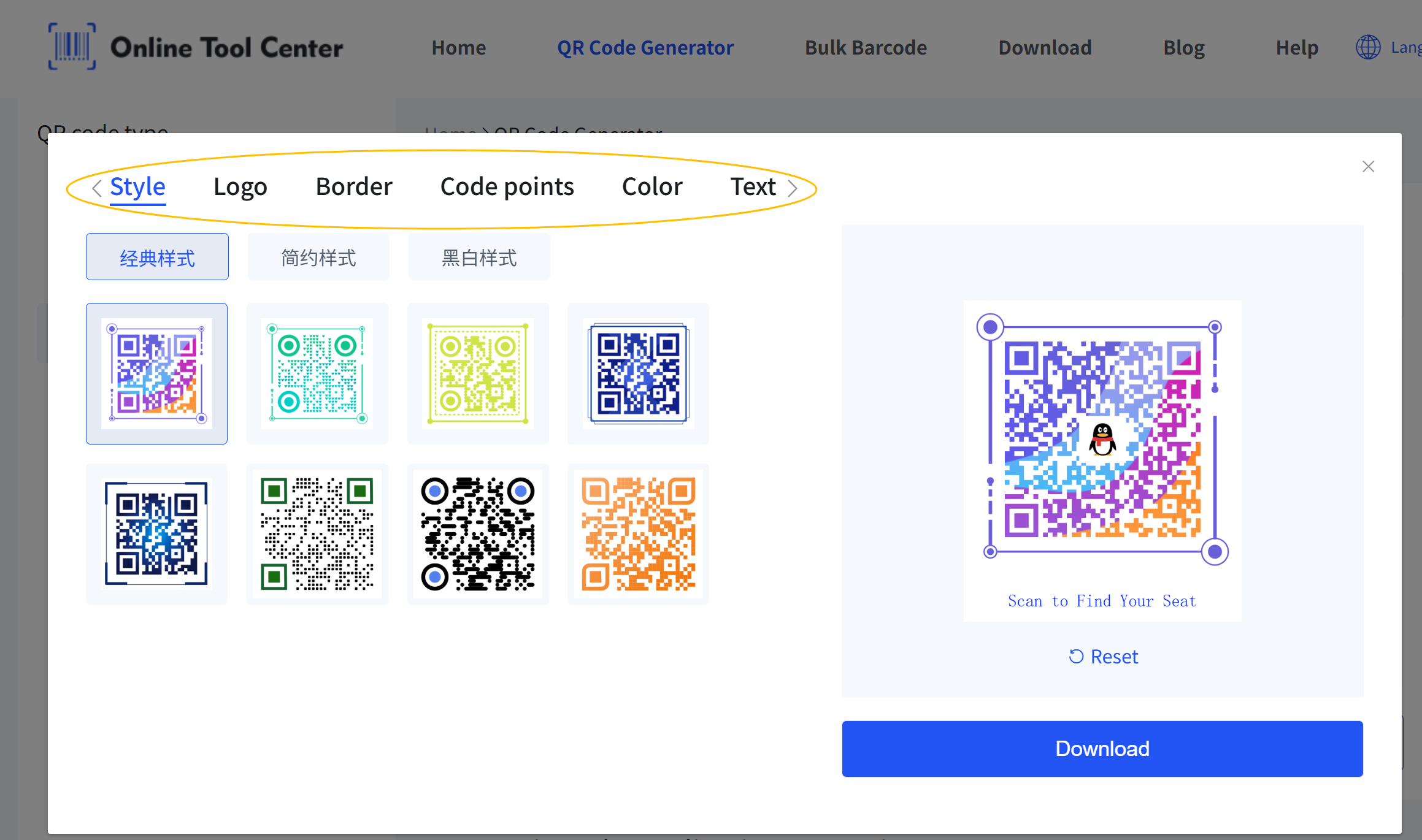
A plain QR code works. A well-designed one gets used. Focus on:
- clear contrast (dark code on light background)
- readable size
- simple branding (logo optional)
- visible CTA
Example CTA:
Our online QR code generator also includes built-in customization tools. You can:
- Add a logo to the center
- Adjust colors, backgrounds, and code patterns
- Customize CTA text to match your event style
All of this can be done quickly—without affecting scan reliability.
5 Test Before You Print
This is where many events fail.
Test your QR code:
- • on iPhone and Android
- • in low light
- • from a distance
- • with weak internet
If it's hard to scan during testing, it will fail during the event.
Best Practices for Designing a QR Code Seating Experience
Make the seating page fast and simple
- no clutter
- no horizontal scrolling
- key info visible instantly
Place multiple QR codes—not just one
Don't rely on a single entrance sign. Use:
- entrance
- check-in desk
- bar or waiting area
This distributes guest traffic and avoids crowding.
Use the right size for the environment
- Posters: at least 5 × 5 cm
- Large venues: bigger
Rule of thumb: The farther people stand, the larger the code should be.
Always include a backup option
Not everyone will scan. Prepare:
- printed mini list
- staff assistance
Common Mistakes to Avoid (That Most Guides Ignore)
Linking to a non-mobile-friendly file
Guests shouldn't need to zoom endlessly.
Using a static QR code for a changing guest list
If seating isn't final, static codes will create confusion.
Over-designing the QR code
Too many colors or shapes can break scanning.
Only placing one QR code at the entrance
This recreates the same bottleneck as a printed board.
Ignoring internet dependency
If WiFi fails, your system fails.
Always plan for offline backup.
A Real-World Example
A 250-guest wedding switched from a printed seating board to a QR code system:
- QR codes placed at entrance + cocktail area
- seating list hosted on a searchable page
Result:
- ✅ check-in time reduced by ~50%
- ✅ no crowding
- ✅ fewer staff interruptions
The key difference wasn't the QR code—it was the system design behind it.
A Quick Note on Security (Often Overlooked)
QR codes can be replaced or tampered with. To reduce risk:
- use branded designs
- display recognizable URLs
- avoid linking to editable public documents
This is especially important for corporate or VIP events.
Final Thoughts
QR code seating charts aren't just a trend—they're a shift in how events manage flow, information, and guest experience.
But the success of your setup depends on one thing:
Not the QR code itself, but how thoughtfully you design the entire experience around it.
Once your seating chart is ready, turning it into a reliable, scannable code is the easy part.
You can quickly create one using a free QR Code Generator, customize it for your event, and test it before printing—so everything works exactly as expected when guests arrive.
FAQs
Can I update the seating chart after printing the QR code?
Yes—if you use a dynamic setup. The QR code stays the same, but the content can be updated.
Do guests need an app to scan the QR code?
No. Most smartphones support scanning directly from the camera.
What if guests don't have smartphones?
Always provide a printed backup or staff assistance.
Is this only useful for weddings?
Not at all. It works for:
- conferences
- galas
- corporate dinners
- school events
