



A free online barcode generator can help you create a scannable barcode image in minutes without installing software or hiring a designer. But not every barcode maker is built for the same job.
Some tools are great for quick Code 128 labels, some focus on retail formats like UPC-A and EAN-13, while others support more technical 2D codes such as Data Matrix, PDF417, Aztec, and GS1 barcodes.
After testing popular free barcode generators with common barcode tasks—Code 128 for internal SKUs, UPC/EAN-style numeric data, QR codes, and print-friendly image downloads—we selected the 5 best free barcode generators in 2026. Our top pick is Online Tool Center Barcode Generator, which offers broad barcode type support, flexible customization, and free downloads in common image formats.
Editorial Method
How We Tested These Free Barcode Generators
We reviewed each tool as a real user would: select a barcode type, enter common business data, preview the barcode, adjust output settings, and check whether the generated file is practical for labels, packaging drafts, documents, or scanner testing.
- Test data: Code 128 SKU samples, UPC/EAN-style numeric data, URL-based QR Codes, and 2D barcode examples.
- Output check: PNG/JPG for everyday use and SVG/PDF-style output where available for print or design workflows.
- Workflow check: setup friction, preview clarity, download steps, and whether sign-up is required for basic generation.
- Business check: GS1/retail caveats, commercial-use limits, and whether the tool fits inventory, label, or scanner-testing scenarios.
Part 1
How to Choose the Best Free Barcode Generator?
The best free barcode generator is not simply the one with the longest barcode list. A useful tool should create accurate, readable barcodes for your actual use case.
With these criteria in mind, here are the best free barcode generators worth trying in 2026.
Part 2
At a Glance: Top 5 Free Barcode Generators Comparison
Use this first if you need flexible 1D/2D barcode types, SVG/PNG downloads, and a clean free workflow.
Better when your next step is placing a barcode onto a printable product label or PDF artwork.
Useful for technical users comparing symbologies, scanner behavior, GS1 variants, or 2D barcode formats.
| Tool | Best For | Free Use | Key Features |
|---|---|---|---|
| Online Tool Center | Best overall free barcode generator | Yes | Supports 1D, 2D, EAN/UPC, GS1, postal codes; customization; PNG, JPG, GIF, SVG downloads |
| TEC-IT Barcode Generator | Best for technical barcode standards | Private/non-commercial | Supports EAN, UPC, GS1 DataBar, Code 128, QR Code, Data Matrix, PDF417, ISBN, postal codes |
| OnlineLabels Barcode Generator | Best for printable product labels | Yes | Simple UPC, EAN, Code 128, and label workflow for business users |
| Labeljoy Barcode Generator | Best for PDF and PNG barcode output | Yes | Supports linear and 2D barcodes with free preview and download |
| Opticon Barcode Generator | Best for scanner-focused barcode testing | Yes | Wide symbology support including Data Matrix, Micro QR, PDF417, GS1, UPC, and EAN |
Note: “Free Use” describes the public generator workflow we reviewed. For official retail UPC/EAN/GTIN use, confirm GS1 requirements and each platform’s current terms before publishing barcodes commercially.
Part 3
Best 5 Free Barcode Generators in 2026
Online Tool Center — Best Overall Free Barcode Generator
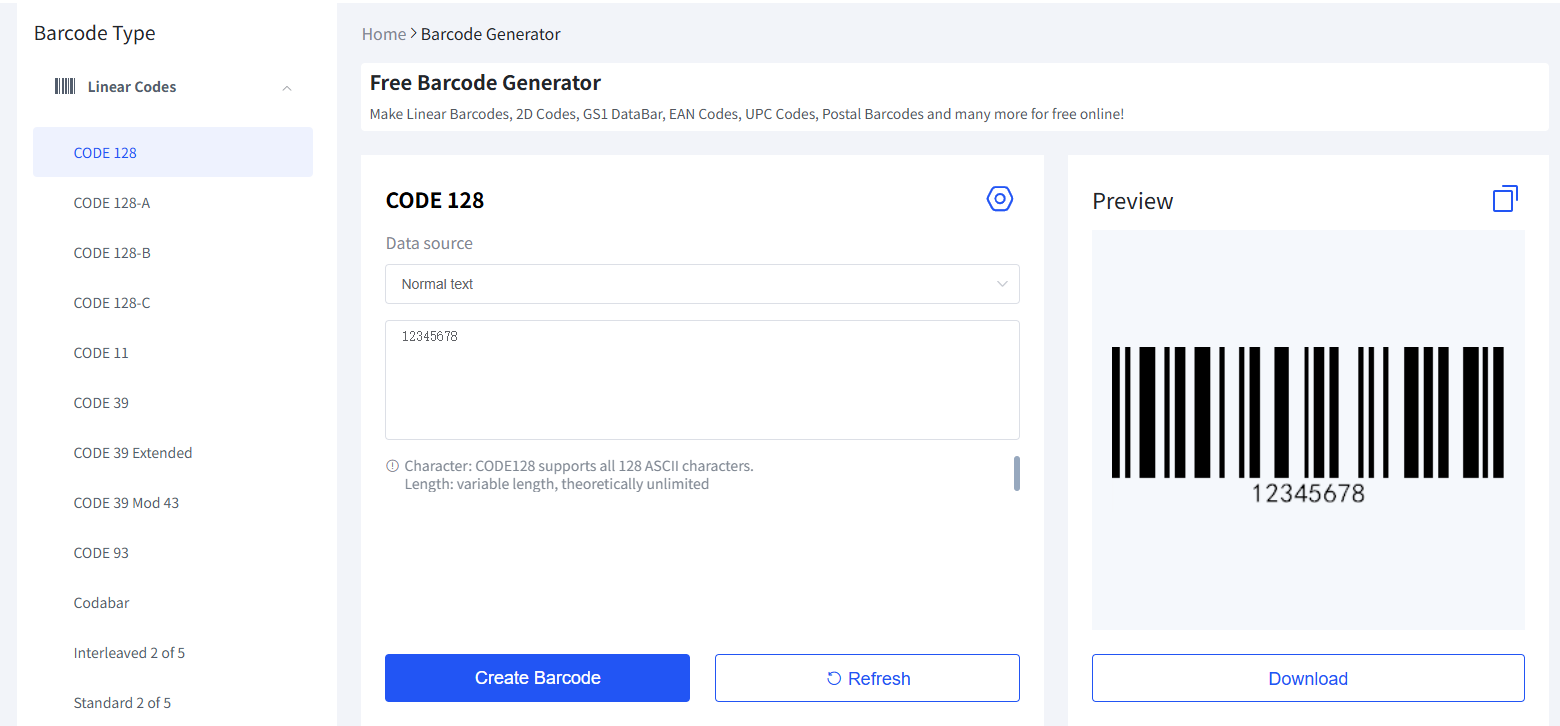
Best for: small businesses, SKU labels, QR codes, and flexible downloadsOnline Tool Center Barcode Generator is the best all-around choice if you want a free barcode maker that works for many everyday and professional barcode needs. It supports a wide range of barcode categories, including linear codes, EAN/UPC, GS1 DataBar, 2D codes, GS1 2D codes, postal barcodes, and healthcare-related barcode types.
For small businesses, this flexibility matters. You may need a Code 128 barcode for internal inventory today, a QR Code for a product insert tomorrow, and an EAN-style barcode image for packaging design later. Instead of switching between several tools, Online Tool Center gives you one clean place to generate and customize different barcode formats.
In testing, the workflow was simple: choose a barcode type, enter the data, adjust output settings, preview the barcode, and download the image. The tool also provides useful style controls such as barcode width, height, text color, background color, font, rotation angle, image resolution, and image format.
Online Tool Center price: Free to use.
- Supports many 1D, 2D, EAN/UPC, GS1, postal, and healthcare barcode types
- Free online access with no software installation
- Download options include PNG, JPG, GIF, and SVG
- Good customization controls for size, border, font, color, and resolution
- Beginner-friendly workflow for small businesses and internal tracking
- It generates barcode images, not official GS1 product numbers
- Users still need to choose the correct barcode type for their business scenario
How to Generate a Barcode with Online Tool Center?
Open the Online Tool Center barcode generator and choose a barcode type such as Code 128, QR Code, EAN-13, UPC-A, Data Matrix, or PDF417.
Input your SKU, product number, serial number, URL, or other barcode content. For retail barcodes, make sure the number follows the required format.
Adjust the size, border, text, color, and image format. Then generate the barcode and download it as PNG, JPG, GIF, or SVG.
TEC-IT Barcode Generator — Best for Technical Barcode Standards
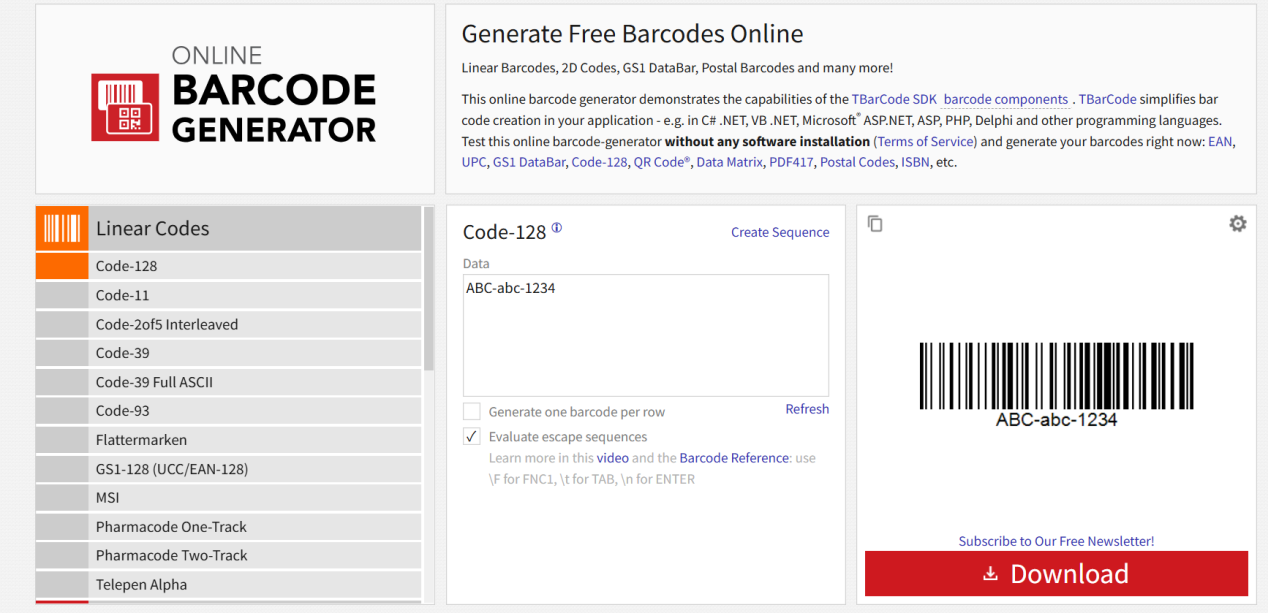
Best for: standards testing and technical barcode usersTEC-IT Barcode Generator is one of the most established online barcode tools, especially for users who need access to many barcode standards. It supports popular formats such as EAN, UPC, GS1 DataBar, Code 128, QR Code, Data Matrix, PDF417, postal codes, and ISBN.
Its main strength is technical coverage. If you already know which barcode symbology your project requires, TEC-IT makes it easy to generate a test barcode quickly. Developers and technical users may also appreciate that TEC-IT provides barcode-related software, SDKs, and embedding options.
TEC-IT price: Free online generator available for private/non-commercial use; commercial use may require approval or paid options.
- Strong barcode standards coverage
- Supports many 1D and 2D barcode types
- Useful for technical testing and barcode format comparison
- Part of a broader professional barcode software ecosystem
- Free use is mainly intended for private or non-commercial use
- Interface may feel technical for beginners
- Commercial users need to check licensing terms carefully
OnlineLabels Barcode Generator — Best for Printable Product Labels
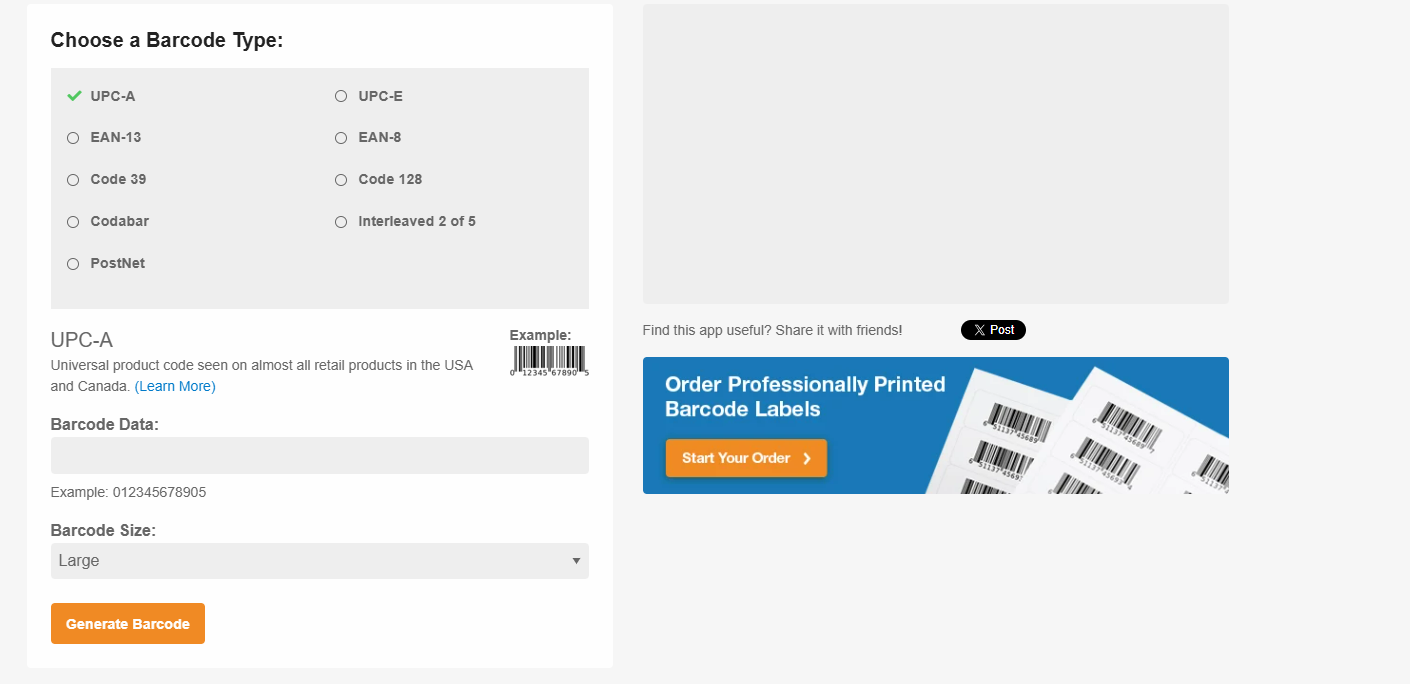
Best for: small business labels and packaging workflowsOnlineLabels Barcode Generator is a good choice for small businesses that want a simple barcode image for product labeling, shipping, inventory control, or packaging. It supports several common barcode formats, including UPC, EAN, Code 128, and other business-friendly barcode types.
The tool is easy to understand because it is built around a label workflow. You choose the barcode type, enter the data, generate the barcode, and download the image for printing. It is especially useful if your next step is placing the barcode on a physical label or packaging design.
OnlineLabels price: Free online barcode generator available.
- Clear workflow for product labels and printable barcode images
- Supports common business barcode formats
- Helpful for small businesses, packaging, and inventory control
- Useful guidance for UPC and GS1-related questions
- Supports fewer barcode types than more technical tools
- Best for individual barcode images rather than advanced batch generation
- Customization options are more basic than specialist barcode platforms
Labeljoy Barcode Generator — Best for PDF and PNG Barcode Output
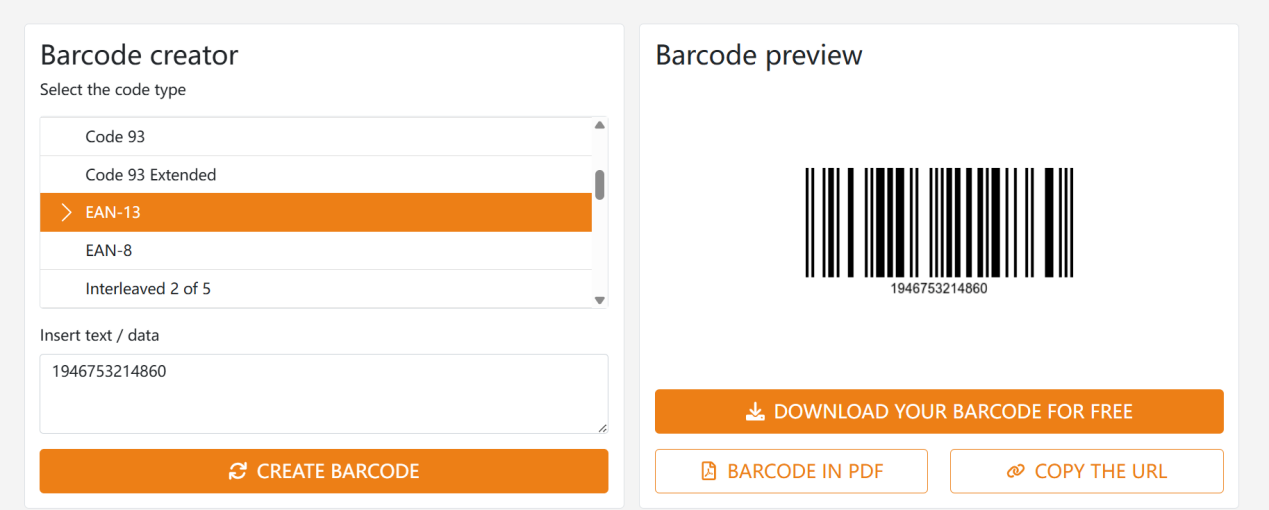
Best for: simple printable barcode downloadsLabeljoy offers a simple free online barcode generator that focuses on quick barcode creation and download. It supports both linear and 2D barcodes, including formats such as EAN-13, UPC, GS1 DataBar, Code 128, and Data Matrix.
One reason Labeljoy is useful is its output flexibility. If you need a barcode in PDF or PNG format, it provides a straightforward path from barcode type selection to preview and download. This makes it suitable for office users, label designers, and small businesses that need a printable barcode without setting up design software.
Labeljoy price: Free online barcode generator available.
- Supports both linear and 2D barcodes
- Good for PDF and PNG barcode downloads
- Simple preview-and-download workflow
- Supports common formats like EAN, UPC, Code 128, and Data Matrix
- Fewer deep customization settings than advanced barcode tools
- Not ideal for complex barcode workflows
- Users still need to verify barcode type and data format before printing
Opticon Barcode Generator — Best for Scanner-Focused Barcode Testing
Best for: scanner testing and symbology comparisonOpticon Barcode Generator is a strong option for users who care about barcode scanning and symbology testing. Opticon is known for scanning solutions, and its generator reflects that technical background by supporting a wide range of barcode types.
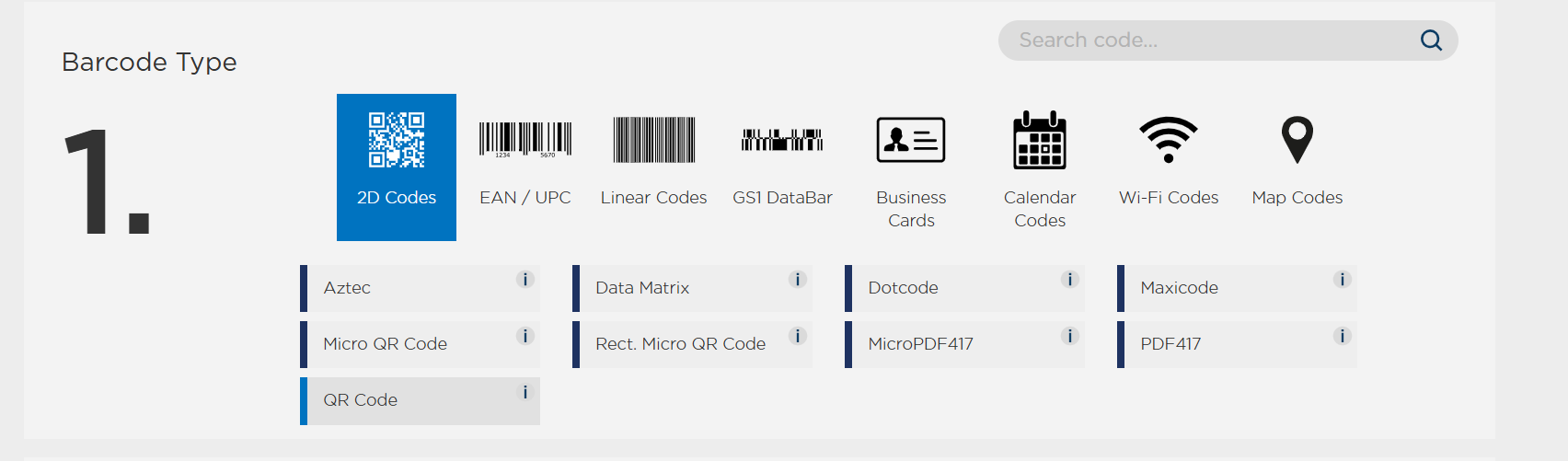
The tool includes common barcode formats such as Code 39, Code 93, Code 128, EAN-8, EAN-13, UPC-A, UPC-E, Data Matrix, PDF417, Micro QR Code, Aztec, GS1-128, GS1 DataBar, and more. It also includes QR categories for business cards, calendar codes, Wi-Fi codes, and map codes.
Opticon price: Free online barcode generator available.
- Broad support for 1D, 2D, GS1, UPC, EAN, and QR formats
- Useful for barcode scanning tests
- Strong option for technical users and scanner workflows
- Includes less common formats such as Micro QR, Maxicode, DotCode, and MicroPDF417
- Interface may be less beginner-friendly
- More suitable for technical testing than general business label design
- Not focused on product label templates or packaging workflows
Conclusion: Which Free Barcode Generator Should You Use?
There is no single best barcode generator for every situation. The right tool depends on the barcode type, output format, printing method, and business use case.
If you want the best overall balance of barcode type support, free access, customization, and easy downloads, Online Tool Center Barcode Generator is the strongest starting point. It works well for Code 128, QR Code, EAN/UPC, GS1-related formats, Data Matrix, PDF417, and many other barcode types.
If you need technical barcode standards and non-commercial testing, TEC-IT is a strong alternative. If your main goal is printable product labels, OnlineLabels and Labeljoy are easy to use. If you are testing scanner behavior across many symbologies, Opticon is especially useful.
Part 4
